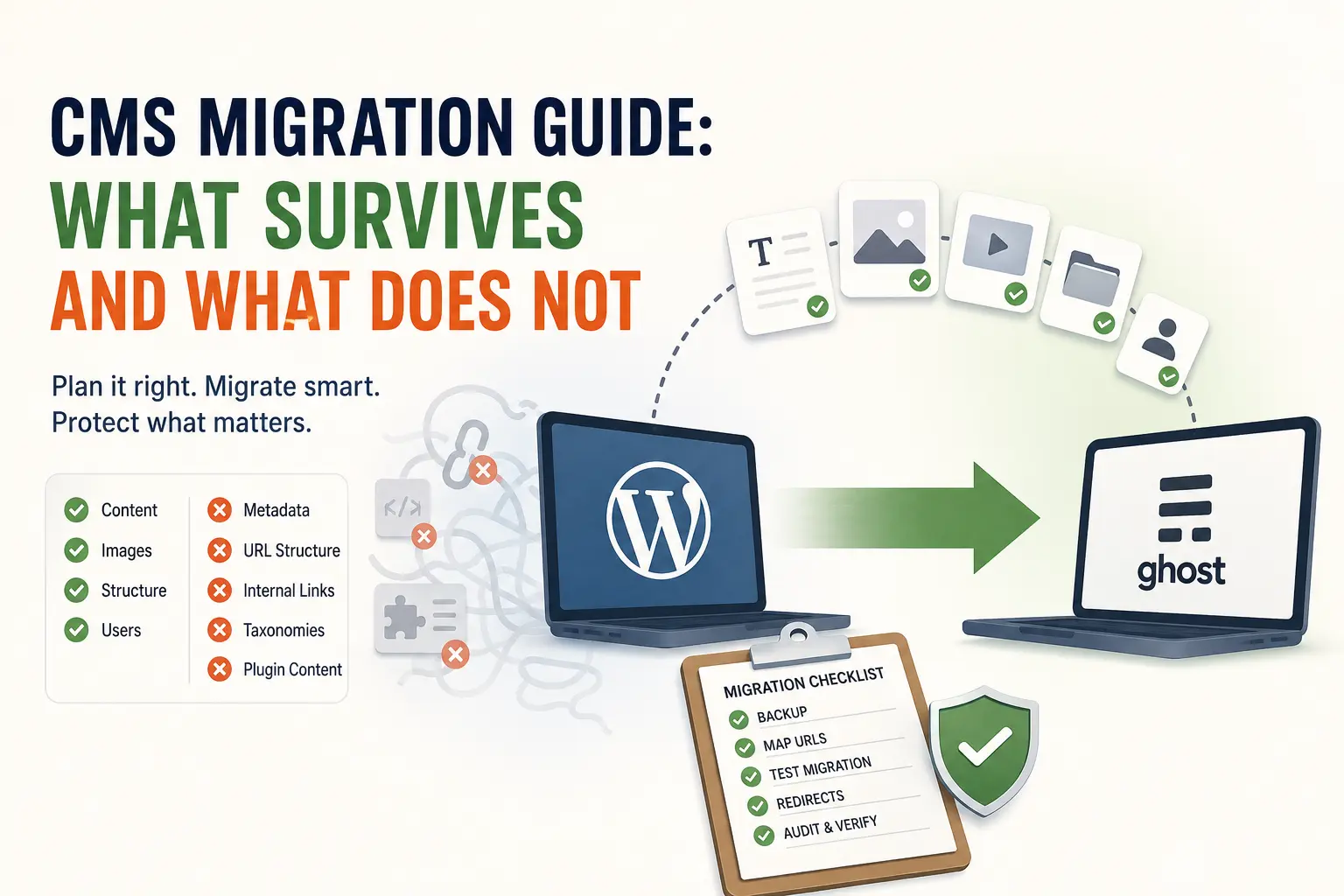
Most of a content site survives a CMS migration when the move is planned in the right order: posts, pages, images and basic structure typically transfer. What almost never survives on its own is metadata, URL structure, internal links and taxonomies, and losing those is what causes the traffic drop people blame on “the migration” itself. The fix is sequence, not luck: back up first, map every URL before you touch anything, and rehearse on a small sample before you move the whole archive.
This guide is written for the person who runs the site, not the person selling the migration. It assumes you have already picked, or are close to picking, your next platform, and want the plain-language survival list before you start clicking export.
Before you export anything: back up and know your way back
Every migration in this cluster opens with the same instruction, and it is not negotiable: take a full backup before you export a single post, and write down how you would undo the move if it goes wrong halfway through. That sounds obvious until the migration is actually underway and the temptation is to keep going because stopping feels like more work than finishing. The full backup-and-rollback plan, including what “verified” actually means for a backup, is its own article: the backup and rollback plan. Read it before you read the rest of this one, not after.
What actually happens to a site during a CMS migration
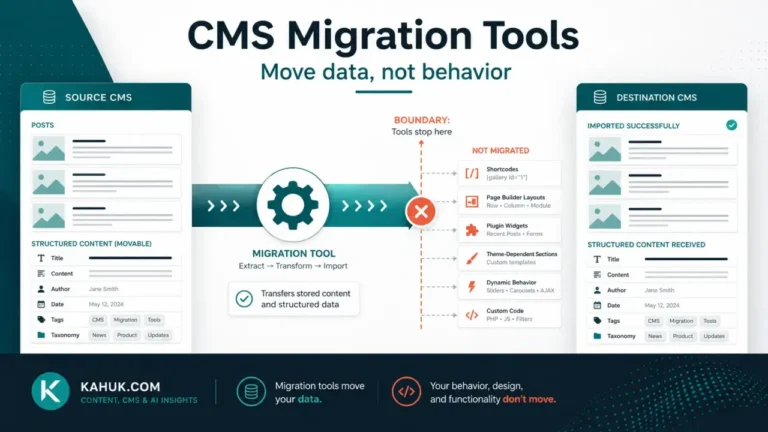
Search engines and migration vendors describe the mechanics fairly consistently. Pages, blog posts, media files, user data, categories, tags, custom fields, and basic metadata like title tags and meta descriptions are all things that can move between platforms. Whether they do move depends entirely on the export and import path you use, and on how different the two content models are underneath.
The industry data on this is blunt: platform migrations commonly produce organic traffic drops in the 30 to 60 percent range when the SEO layer, redirects and metadata, is not treated as a first-class part of the plan rather than an afterthought (source: CMS migration guidance aggregated by Concrete CMS and Naturaily, checked 2026-07-29). That is not a platform failing you. It is a checklist failing to get followed.
What usually survives without special effort
- The words themselves. Post and page body text is the least fragile part of any migration.
- Images, in most cases, though where they end up (a new media library, a different folder structure, a CDN) is not guaranteed.
- Basic author and publish-date information, though the exact fields it lands in vary by platform.
- Your domain, if you keep it, which is the single biggest reason SEO equity does not have to reset to zero.
What almost never survives without deliberate work
- Metadata. Title tags, meta descriptions and canonical URLs are the things that quietly fail to transfer, and losing them is the single most-cited cause of post-migration traffic loss.
- URL structure. If your new platform’s URLs do not match your old ones, every inbound link and every search result pointing at the old URL now needs a redirect, or it points at nothing.
- Internal links. Your own posts link to each other using your old URL pattern. Those links do not update themselves.
- Taxonomies. Categories and tags rarely map one-to-one between platforms. WordPress categories, for instance, commonly collapse into a flatter tag structure on some destination platforms, with the first category becoming the primary tag rather than a true category (source: Ghost’s own WordPress-migration documentation, checked 2026-07-29).
- Anything built by a plugin. Comparison tables, custom galleries, and other plugin-rendered content usually does not survive an export at all, because the export only captures the raw content, not the plugin that rendered it.
The pattern across all five of these is the same: nothing here is a platform bug. Every one of them is a difference in how two content models represent the same idea, and every one of them is fixable if you know to look for it before you migrate rather than after.
The four migrations this cluster covers
This site’s migration cluster is organized around the moves people actually make, not a generic theory of migration:
| Move | Where it hurts most | Read this first |
|---|---|---|
| WordPress to Ghost | SEO metadata, plugin-rendered content, category structure | WordPress to Ghost |
| Ghost to WordPress | Ghost’s native SEO fields do not exist on plain WordPress without a plugin | Ghost to WordPress |
| WordPress to a headless stack | Content modeling and what “headless” changes for a writer, not a developer | Covered in a later cluster article |
| Between two headless platforms | Field-by-field content model differences | Covered in a later cluster article |
If your move is not on this list yet, the principles in this guide, backup first, map URLs, rehearse on a sample, still apply.
The 12 things that break, gathered in one place
Rather than discover these one at a time during your own migration, this cluster has a single article that lists them before you start: the 12 things that break in every CMS migration. Read it as a pre-flight list, not a post-mortem.
A migration sequence that does not depend on luck
- Back up, and verify the backup restores. Not just “a backup exists,” an actual test restore.
- Map every URL on the old site to its equivalent on the new one, including a plan for URLs that have no equivalent.
- Run a test migration on a small sample (20 to 30 posts is a reasonable rehearsal size) before touching the full archive. Problems that show up on 20 posts are cheap. The same problems on 4,000 posts are expensive.
- Cut over on a schedule you control, not under time pressure, with the old platform still reachable as a fallback.
- Audit the result in the first 48 hours: spot-check redirects, spot-check images, spot-check a sample of internal links.
- Keep the old export. Even after a successful migration, an exported copy you own outside either platform is the cheapest insurance you will ever buy.
The information gain: you are not moving files, you are moving a workflow
The part of this that most guides skip: a CMS migration changes how the people who publish, do their jobs, not just where the files live. A new editor interface, a new set of approval steps, a new media library, a new way of scheduling a post, these are all workflow changes wearing a technical disguise. A migration can pass every technical check and still be a daily source of friction for months if nobody accounted for the fact that the person hitting “publish” now has to relearn how to do it. Plan for that the same way you plan for redirects: explicitly, and before the cutover, not after someone complains.
FAQ
Does a CMS migration hurt my search rankings?
It can, but the damage is nearly always caused by missing redirects and lost metadata rather than by the platform change itself. A migration with a complete URL map and preserved metadata carries far less risk than one done without either.
How long should I plan for a CMS migration?
There is no single number that applies to every site; it depends on archive size, how many plugin-rendered elements you have, and whether you rehearse first. A test migration on a small sample is what turns an unknown timeline into a rough, evidence-based one.
Can I migrate without any downtime?
It is possible in many cases by keeping the old site live until the new one is verified, then cutting over on your own schedule. This cluster covers the cutover sequence in more depth in a dedicated article.
Do I need a developer to migrate my site?
Not always. Straightforward moves between two well-documented platforms are often manageable without one; migrations involving heavy plugin use, custom fields, or a headless stack are where a developer’s help becomes worth the cost.
What is the single most common migration mistake?
Treating the export as the hard part and the redirects as an afterthought. The reverse is closer to true: the export is mostly mechanical, and the redirect map is where most of the actual judgment lives.
Written July 2026. CMS migration tooling and vendor export formats change; if you are reading this more than six months after the date above, verify the specifics against the current documentation of the platforms you are moving between.