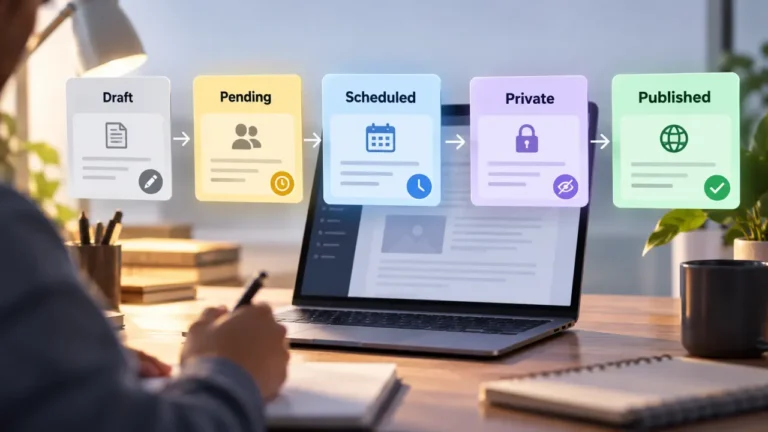
Content process documentation is a written record of how an article moves from idea to live post: the stages, who owns each one, the rules for the judgment calls, and where every file and account lives. Done well, it lets someone who has never worked with you brief, write, edit and publish a piece without asking you a single question. That is the whole test. If your process only works while you are available to answer messages, it is not documented yet, however many notes you have.
Most guides on this subject are written for large companies with a documentation team. This one is for the small operation: an owner, maybe an editor, a few freelancers and a publishing schedule that depends on one person remembering how things are done.
Why “It Is All in My Head” Is a Risk, Not a Compliment
When one person holds the process, every exception routes through them. A holiday stalls output. A freelancer who asks the same question twice is paying, in time, for a missing document. And if that person leaves or gets sick, the operation loses more than a pair of hands. It loses the reasons behind every rule, which is the part nobody can reconstruct later.
There is a second cost that is easier to miss. An undocumented process cannot be improved, because nobody can see it whole. Writing a step down often reveals that it exists only to work around a problem you solved long ago. Documentation is partly a record and partly an audit.
If you have not settled the overall shape of your process yet, do that first. The editorial workflow for a team of two to five lays out a complete process for a small team, and it is far easier to document a process you have chosen than one that simply accumulated.
What Content Process Documentation Should Capture
A useful set of documents covers five layers. Most templates online stop at the first and the fourth. The two layers that make a process survive its owner are decisions and locations.
| Layer | What you write down | Example | How often it changes |
|---|---|---|---|
| Stages | The named steps from idea to live post | Brief, draft, edit, approve, publish, update | Rarely |
| Owners | One named role per stage | “The editor approves. The owner breaks ties.” | When people change |
| Decisions | The rules behind judgment calls, with reasons | “Any number without a source goes back to the writer.” | As you learn |
| Steps | The actions inside each stage, on your current tools | “Set one category, add the meta description, save as draft.” | Whenever a tool changes |
| Locations | Where files, templates, assets and logins live | “Brief template in the shared Briefs folder. Logins in the team password manager.” | Occasionally |
Notice the last column. The layers that change most often should be the thinnest and easiest to edit. The layers that rarely change deserve the most careful writing, because they will be read for years.
Start With an Audit of What Only You Know
The usual advice is to start documenting the most frequent task. For a small operation, a better starting order is the risk of loss: what disappears first if you are unreachable. Answer these questions on paper before you write any procedure:
- Which tasks happen so rarely that you redo them from memory each time? Refreshing an old post, a yearly content review and renewing a domain are common examples.
- Which questions do writers or editors ask you more than once?
- Which accounts, tools or payments can only you access?
- Which rules do you enforce that are written down nowhere?
- What would stop on the first day if you disappeared for two weeks?
The answers become your priority list. Rare tasks go near the top because they are the ones everybody, including you, forgets. Daily tasks can wait a little, since other people already see them happen and can often reconstruct them.
Write the Stages Before the Steps
Stages give every other document a place to live. If you are unsure what yours are, the stages every publishing process has gives you the vocabulary, whether or not your team has named them yet.
For each stage, write four short lines:
- Input: what must exist before the stage starts, such as an approved brief.
- Output: what the stage hands on, such as a draft with every claim sourced.
- Owner: one role, not “the team.”
- Done when: the condition that moves the work forward.
“Done when” is the line most teams skip, and it is the one that prevents the most arguments. “Edited” means different things to different people. “Edited, with every open question either answered or sent back to the writer in one list” means one thing.
Document the Decisions, Not Only the Clicks
This is the layer that separates documentation that outlives you from a checklist that only works while you supervise it. Every content operation runs on dozens of small judgment calls. When does an editor fix a weak paragraph, and when does it go back to the writer? What needs a source? Which old posts get updated and which get rewritten? Who has the final word when two reviewers disagree?
Write each rule with its reason attached. “Drafts over the agreed length are cut, not approved, because long drafts were delaying the calendar” survives a new editor. “Keep drafts short” does not. A rule without a reason gets deleted the first time it is inconvenient, or it keeps being followed long after it stopped making sense.
Language and formatting decisions belong in a separate document so the process pages stay short. An editorial style guide kept to one page is the right home for spelling choices, heading rules and tone, and the process documents simply point to it.
Keep the Process Separate From the Platform
Here is the mistake that quietly kills documentation on small sites: the process is written in the language of one CMS. Then the site moves, and every page is suddenly wrong.
Platforms describe the same idea in different terms. Ghost, for example, has a Contributor role that can “create and edit their own draft posts” but cannot publish, according to Ghost’s own help page, Invite your team, which we read on September 23, 2026. WordPress, Webflow, Squarespace and git-based systems each have their own permission models and names. If your process document says “writers have the Contributor role,” it describes one platform. If it says “writers cannot publish, and the editor publishes,” it describes your process, and it stays true wherever you go.
So keep two layers. The process layer names stages, owners and decisions without mentioning any tool. A thin platform layer maps each step to the current system: which screen, which field, which role. When you change platforms, you rewrite the thin layer and keep the rest. If a move is on the horizon, how to export content from a CMS and own it covers the content itself, and the same principle applies to your documentation: it should never exist only inside the system you might leave.
How to Write a Step Someone Else Can Follow
A procedure that makes sense to its author often fails a newcomer, because the author’s memory fills every gap. The Google developer documentation style guide’s page on procedures, which we read on September 23, 2026, gives three rules that transfer well to content work: use one step for each action, start each step with an imperative verb, and state the goal before the action.
Compare these two versions of the same instruction.
Before: “Then do the SEO bits and get it ready.”
After:
- To set the search snippet, paste the summary line from the brief into the meta description field.
- To file the post, choose one category from the list in the style guide.
- To hand the post on, save it as a draft and move its tracker entry to “Ready for approval.”
The second version can be followed by someone who has never met you. A practical way to get there quickly is to record yourself doing the task while narrating what you do and why, then turn the recording into numbered steps. Use screenshots sparingly, since they go out of date faster than anything else in the document.
Where to Keep It So It Survives
Location matters as much as content. A few rules keep documentation findable and portable:
- One home. A single folder or wiki, not notes spread across chat threads, email and three drives.
- An exportable format. Plain documents or Markdown files that open anywhere. Avoid keeping the only copy inside a paid tool or inside the CMS itself.
- A named owner per document. Someone is responsible for keeping each page true, and their name is on it.
- Linked from where the work happens. The brief template links to the style guide. The tracker links to the stage definitions. People follow documents they meet in the middle of the task.
- No secrets in the text. Record where logins live and who can grant access. Never paste passwords into a process document.
Run the Stranger Test
You cannot check your own documentation, because you already know the answers. Give the document to someone who has never done the task, such as a new freelancer or a colleague from another part of the business, and have them follow it without help.
Every question they ask marks a gap. Write the answer into the document, not into a chat reply, or the gap stays open for the next person. Afterward, ask where they guessed. Silent guesses are gaps too, and they are the ones that turn into published mistakes. Run the test again after you fix the gaps. The document is finished when a newcomer gets through it without a question.
Keeping Content Process Documentation Current
Documentation that nobody maintains becomes a liability, because people trust it after it has stopped being true. Put a “last reviewed” date and an owner at the top of every page.
Calendar reviews help, but events are more reliable triggers. Update the relevant page when:
- a tool, template or platform changes
- a new person joins or someone leaves
- a mistake reaches a live page
- someone asks a question the documents should have answered
- you break one of your own rules on purpose, which means the rule needs revising
Pick a regular review rhythm you will actually keep, such as whenever you plan the next stretch of your content calendar, and use it to delete steps that no longer happen. A shorter, accurate document beats a complete, outdated one.
What Documentation Will Not Fix
It is worth being honest about the limits. Writing down a broken process preserves the problem. If three people must approve every post and nothing ships, documentation will only make the bottleneck official. Fix the process first, then record it.
Documentation also does not replace judgment. Some calls will always need an experienced editor, and the right move is to say who makes them rather than pretend a rule can. And it takes real time: the first complete version is usually built over weeks of doing the work and writing it down, not in a single afternoon. The payoff comes the first time someone runs the operation without you and nothing breaks.
FAQ
What is content process documentation?
It is the written record of how content moves from idea to publication and beyond: the stages, the owner of each stage, the rules for judgment calls, the step-by-step actions on your current tools, and where files and accounts live. Its purpose is to let someone else run the process without relying on your memory.
What should I document first?
Start with what would be lost first if you were unavailable: rare tasks you redo from memory, questions people ask you repeatedly, accounts only you can access and unwritten rules you enforce. Frequent daily tasks can come later, because others already see them happen.
How detailed should a content SOP be?
Detailed enough that a newcomer can follow it without asking questions, and no more. Use one action per step, start each step with a verb, and move style rules into a separate style guide so the process pages stay short.
Should my process documentation live inside my CMS?
Not the only copy. Keep documentation in an exportable format outside the publishing platform, and write the process in platform-neutral terms. Then a CMS change means rewriting only the thin layer that describes the current tool’s screens and roles.
How often should I update process documentation?
Whenever something changes: a new tool, a new team member, a mistake that reached a live page or a question the documents did not answer. Add a regular review you will actually keep, and mark each page with a last-reviewed date and an owner.