

A good repurpose content workflow reuses the research, not the finished post. Store what you learned once, in a research file where every finding has its source and the date you checked it. Then plan each new post around a different reader question, draw only the findings that question needs, and record which posts used which findings. That way you get several distinct posts from one round of research, they do not compete with each other, and when a fact changes you know exactly which posts to update.
Most advice on repurposing is about format: turn a blog post into ten social posts, a webinar into clips, a video into a newsletter. That is useful, but it skips a more expensive problem. For a writing team, the costly part of a good post is often the research: reading the documentation, checking the figures, finding the one source that actually says what everyone repeats. When that research lives only inside a single finished article, you pay for it again every time you write about the topic.
This guide covers how to capture research so it can be reused, how to split it across posts without writing the same article twice, and how to keep every post accurate when the underlying facts move. It applies to any CMS; nothing here depends on a particular platform.
Why a repurpose content workflow should reuse research, not posts
Reusing a finished post means reshaping text that was written for one reader, one question and one structure. The result often reads like what it is: the same article with the paragraphs shuffled.
Reusing research is different. The research is the raw material (facts, sources, definitions, examples, quotes you are allowed to use), and it can be shaped into any number of posts that each answer a different question. A single deep dive into, say, how different CMS platforms handle post scheduling could support separate pieces on time zone mistakes, on who should be allowed to schedule, and on what happens when a scheduled post fails. Each of those is a real article with its own reader. None of them is a rewrite of the others.
The practical difference shows up months later. If your research file says where each fact came from and when you checked it, you can reuse it with confidence. If the only record is a published post, you have to re-verify everything before you can trust it again.
Step one: a research file that outlives the first post
Before you write the first post, put what you found into a separate document. It does not need a special tool; a shared document or spreadsheet works. What matters is the structure. For each finding, record:
| Field | Why it matters |
|---|---|
| The finding, in one plain sentence | So anyone can reuse it without rereading the source |
| The source, with a link | So it can be checked again later |
| The date you read it | So you know how stale it might be |
| What kind of fact it is | Stable (a definition) or volatile (a price, a feature, a version) |
| Posts that use it | Filled in as you publish |
The “kind of fact” column is the one people skip, and it is the one that saves the most work. A definition may hold for years. A pricing tier or a feature list can change without notice. Marking volatile facts up front tells you which ones to recheck before each reuse.
Keep the research file separate from drafts. Drafts get edited, cut and rewritten; the research file should only ever grow or get corrected.
Step two: one question per post
This is where most repurposing goes wrong. If three posts draw on the same research and answer roughly the same question, they compete with each other for the same readers and the same searches. None of them is clearly the best answer, including in your own internal links.
Before drafting, write the one question each planned post answers, in the reader’s words. Then check the list:
- Could one post answer two of these questions without getting longer? If so, merge them into one post.
- Would a reader who finished post A still need post B? If not, B is a duplicate.
- Does each post need different findings from the file? If they all use the same five findings, they are probably the same post.
This check is the difference between a useful cluster of articles and a pile of near-duplicates. Search engines are explicit about the second. Google’s spam policies for Google web search (last updated August 28, 2026, read September 25, 2026) define scaled content abuse as “when many pages are generated for the primary purpose of manipulating search rankings and not helping users,” and list “stitching or combining content from different web pages without adding value” as an example. Reusing research is fine. Producing many pages that add nothing new is not.
Step three: draw, then write
With the question set and the findings chosen, the drafting is ordinary writing. A few habits keep it clean:
- Pull findings into the draft with their sources attached. It is easier to delete a citation later than to go hunting for it.
- Recheck anything volatile. If a finding is marked as a price, a feature or a version and it was read more than a few weeks ago, open the source again before using it.
- Write new framing, not new facts. The research supplies the facts. The post supplies the angle, the order, the examples and the advice. If you find yourself inventing a fact to fill a gap, that is a gap in the research file, so add the research first.
- Record the post in the research file as soon as it is scheduled or published, next to every finding it used.
Each of these posts still moves through your normal process. Reused research does not skip review. It usually means a reviewer can check claims faster, because the sources are already collected. If your stages are not yet written down, our overview of the stages every publishing process has is a useful place to start.
Step four: when a fact changes, update every post that used it
This is the part of the workflow that nobody mentions, and it is the reason the “posts that use it” column exists.
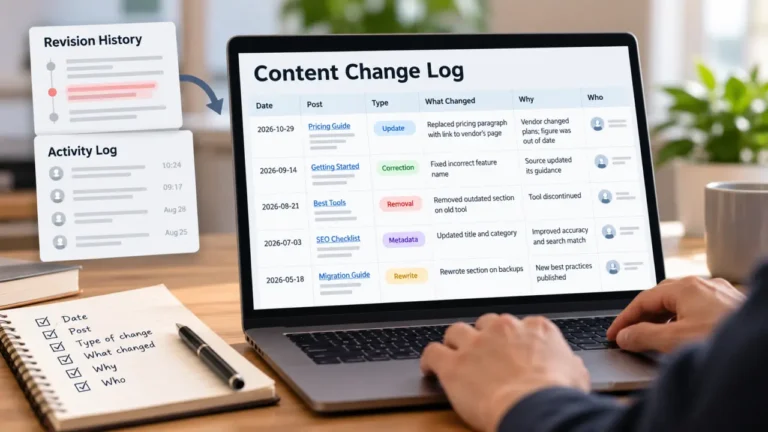
Suppose a platform changes a setting you described, or a source you cited is updated. Without a record, you would have to search your whole archive and hope you find every mention. With the research file, you look up the finding, see the list of posts, and update each one. Then correct the finding itself and change its date.
A simple routine:
- Once a month, or on whatever cycle suits your volume, scan the volatile findings and recheck their sources.
- Where something has changed, correct the research file first.
- Update each listed post and note the change in the post, if your site shows update dates.
- Where a post no longer makes sense after the change, flag it for a fuller review rather than patching it.
Changing a published post is still a change to live content, so it should go through the same approval as anything else. Our guide on why one final approver fixes most broken workflows explains how to keep that decision in one place.
Who owns the research file
On a team, the research file needs an owner, or it drifts. The owner does not have to do all the research. Their job is to keep the structure consistent, make sure new findings have sources and dates, and run the monthly recheck.
On a small team, this is often the editor. If you are working out who does what at that size, our piece on the editorial workflow for a team of two to five covers typical role splits.
Where AI tools fit, and where they do not
Some teams use AI tools to draft several posts from one research file. The same rules apply. Each post still needs its own question, every fact still has to trace back to a source in the file, and a person still reviews every draft before it goes out. A tool can speed up drafting; it cannot tell you whether two posts are really the same post, and it cannot recheck a source for you. Treat anything a tool adds that is not in the research file as unverified until someone checks it.
A short checklist
- Research lives in its own file, separate from drafts.
- Every finding has a source link and a date read.
- Volatile facts are marked and rechecked before reuse.
- Each planned post answers one distinct reader question.
- Posts that would answer the same question are merged.
- Every published post is listed next to the findings it used.
- When a finding changes, every listed post is reviewed.
FAQ
What is a repurpose content workflow?
It is a repeatable process for getting more than one piece of content from the same work. For a writing team, the most valuable version reuses the research (facts, sources and examples) across several posts that each answer a different question.
How is reusing research different from rewriting a post?
Rewriting reshapes finished text, which often produces near-duplicate articles. Reusing research means drawing selected facts into a new post with its own question, structure and angle.
Will several posts from one research file hurt my search rankings?
Not if each post answers a distinct question and adds something for the reader. Problems start when many pages repeat the same content without adding value, which Google’s spam policies describe as scaled content abuse.
How often should I recheck reused research?
Recheck volatile facts, such as prices, features and version details, before each reuse and on a regular cycle. Stable facts, such as definitions, need checking less often.
What tool do I need for a research file?
Any shared document or spreadsheet works. What matters is recording each finding with its source, the date read, whether it is likely to change and which posts use it.