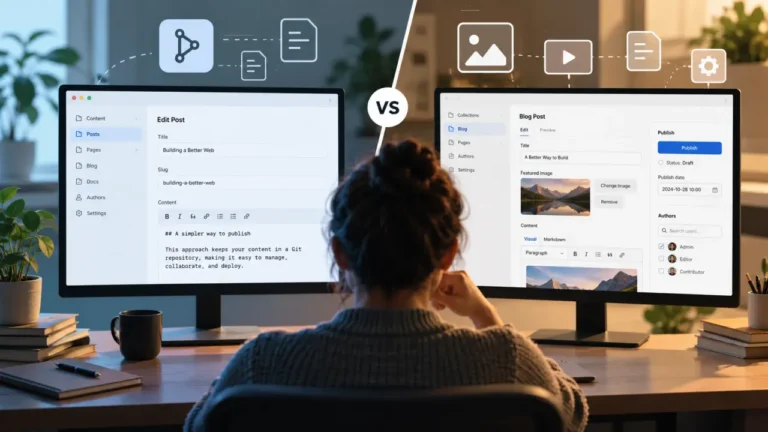
Self-hosting TinaCMS sounds straightforward: move the CMS backend away from TinaCloud, deploy it on infrastructure you control, and keep the rest of the editing experience.
Architecturally, however, that decision changes more than the location of an API endpoint. You become responsible for several services that a managed backend normally hides from editors and developers: the Tina backend runtime, authentication, authorization, the content index, Git connectivity, credentials, deployments, monitoring, and recovery when one of those pieces stops working.
That does not make self-hosting a bad choice. TinaCMS is unusually flexible here because its content remains Git-backed rather than being locked inside a proprietary content database. For organizations with infrastructure, identity, data-location, or integration requirements, self-hosting can be exactly the right architecture.
But the useful question is not simply, “Can we self-host TinaCMS?” It is: “What do we gain by owning the backend, and are those gains worth the operational work we inherit?”
What self-hosting TinaCMS actually means
TinaCMS separates the content itself from the data layer used to query and edit that content. Your Markdown and JSON files remain the underlying source of truth in the repository. Tina’s data layer indexes that content and exposes it through a GraphQL API so the CMS and application can work with it efficiently.
That distinction matters because the database used by Tina is not the canonical home of your content in the way a conventional database-first CMS works. Tina describes the database more like an index or ephemeral cache around the files stored in Git.
When you use TinaCloud, much of the production data-layer infrastructure is managed for you. When you self-host, you deploy your own Tina backend and connect the components it needs.
A production self-hosted setup can be thought of as four main pieces:
- Backend host: the environment that runs Tina’s API and backend logic.
- Database adapter: the storage layer used for Tina’s content index.
- Git provider: the integration responsible for reading from and saving changes back to the repository.
- Authentication provider: the system that verifies users and controls access to CMS operations.
Tina makes these pieces configurable. That modularity is one of the strongest arguments for self-hosting, but it also explains why self-hosting creates more work. Every replaceable component becomes a component that somebody has to configure, secure, monitor, and maintain.
Self-hosting does not necessarily mean running your own physical server
The phrase “self-hosted” can give the wrong impression. You do not necessarily need a long-running VPS, an on-premises rack, or a Kubernetes cluster just to operate Tina’s backend.
Tina’s backend is designed to work in Node.js environments and can be deployed as a serverless function, including alongside a site on platforms such as Vercel or Netlify. It can also run separately from the frontend.
That gives teams several possible architectures. You could run the Tina backend in a serverless platform, use a managed database service, connect it to GitHub, and authenticate users through an external identity provider. You would still be “self-hosting” Tina even though several infrastructure layers remain managed services.
This is an important distinction for cost and operations. Self-hosting TinaCMS is better understood as taking ownership of the backend architecture, not necessarily taking physical ownership of every server involved.
What you gain by self-hosting TinaCMS
1. Control over where the backend runs
The clearest benefit is infrastructure control. Instead of relying on TinaCloud to host the production data layer, you decide where the backend runs and which infrastructure services surround it.
That can matter when an organization has requirements around hosting regions, internal infrastructure, data residency, network architecture, or on-premises systems. Tina itself identifies regional hosting and on-premises content requirements as potential reasons to choose self-hosting.
For a typical marketing site, this may provide little practical benefit. For an organization whose platform team already standardizes runtimes, databases, observability, and access controls, putting Tina into that environment can reduce architectural exceptions.
2. More control over authentication
Authentication is often a stronger reason to self-host than infrastructure cost.
Tina provides a self-hosted authentication path based on Auth.js, and its documentation also describes pre-built options involving TinaCloud and Clerk. Because Auth.js supports many login providers, teams can connect Tina to a broader identity stack rather than treating the CMS as an isolated account system.
This becomes useful when editors are employees who already authenticate through an organizational identity provider. The CMS can potentially fit into existing policies around account provisioning, login methods, and access management instead of introducing another standalone user directory.
The benefit becomes much more concrete when you ask operational questions: What happens when an employee leaves? Who revokes access? Does the organization require a particular identity provider? Does the security team mandate specific authentication controls?
If TinaCloud already satisfies those requirements, self-hosting may not add much. If it does not, authentication flexibility can justify the additional architecture.
3. Control over the data-layer infrastructure
Self-hosting lets you choose and operate the database adapter behind Tina’s data layer. Tina provides supported adapter paths and an interface for implementing your own adapter when necessary.
That gives infrastructure teams control over where the index lives, how credentials are managed, which service tier is used, and how the database fits into existing monitoring and deployment practices.
But remember what this database does. Your Markdown and JSON files remain the content source of truth. The database exists to support Tina’s query and editing layer. That reduces one kind of lock-in, but it does not make database availability irrelevant. If the data layer cannot reach its index, editors and API consumers can still experience failures.
4. Control over Git integration
Tina’s Git provider is responsible for saving content changes back to the repository. GitHub has a supported provider, while Tina also exposes an interface that lets developers build a different Git provider.
That matters for organizations with unusual repository requirements, internal Git infrastructure, specialized commit behavior, or integration rules that do not fit a managed CMS workflow.
The deeper benefit is governance. CMS edits can participate in the same repository model as the rest of the application instead of becoming a separate publishing silo.
Of course, control cuts both ways. If a repository credential expires, permissions change, or a Git API request fails, your team now owns that failure path.
5. Less dependence on TinaCloud
Self-hosting also gives teams an exit path from TinaCloud as the production content backend. That can matter to organizations trying to minimize reliance on a specific SaaS control plane or keep more application infrastructure under their own governance.
This does not have to be an all-or-nothing decision. Tina documents a hybrid option in which the Content API is self-hosted while TinaCloud continues to provide authentication and authorization.
That makes self-hosting a spectrum rather than a binary choice. A team can take responsibility for only the layer where it needs additional control and continue using managed services elsewhere.
What you have to operate after leaving the managed backend
The benefits of self-hosting are easy to describe because they sound like architecture features: control, flexibility, extensibility, ownership.
The costs tend to arrive later as tickets.
An editor cannot log in. A save operation fails. The Git credential has expired. An environment variable is missing after a deployment. The index needs attention. A package upgrade changes behavior. The API endpoint is returning errors, and somebody has to determine whether the problem is Tina, the database, the Git provider, authentication, or the hosting platform.
Those are the responsibilities that should drive the self-hosting decision.
You operate the backend runtime
Your Tina backend has to run somewhere. Whether that means a serverless function or a conventional Node.js service, your team owns the production configuration around it.
That includes deployment settings, environment variables, secrets, runtime compatibility, logging, scaling behavior, rollbacks, and availability.
Serverless hosting can reduce infrastructure administration, but it does not eliminate operational ownership. Someone still needs to understand what was deployed and how to diagnose it when the function stops behaving as expected.
You operate authentication and access
Custom authentication is valuable precisely because it gives you responsibility over a sensitive part of the system.
A production setup needs more than a login screen. Teams should think through secret management, account provisioning, account removal, authorization rules, session behavior, provider configuration, recovery, and security updates.
A useful test is simple: When an editor cannot access the CMS, who receives the support request?
If the answer is your application or platform team, authentication has become part of your CMS operations workload.
You operate the content index
Because Git remains the content source of truth, it can be tempting to treat the Tina database as disposable infrastructure. Conceptually, it is closer to an index than a traditional CMS content database, but editors still depend on the data layer working correctly.
Your team should know how to identify database connectivity problems, what happens when indexing fails, how an index is rebuilt, what service limits apply, and what monitoring is needed to detect degradation.
The reassuring part is that a damaged index does not mean your canonical Markdown content disappeared. The operational part is that somebody still has to restore a working CMS experience.
You operate the Git connection
With the documented GitHub provider, Tina needs repository information and a credential with sufficient permission to write content. That creates another production dependency.
Teams need to think about token storage, permission scope, rotation, repository ownership changes, branch rules, API errors, and what happens when security policies around GitHub access change.
This is where an infrastructure problem becomes an editorial problem. Editors do not care that a token is invalid. They care that clicking Save did not save their work.
You own upgrades and compatibility
A self-hosted Tina installation combines several moving parts: TinaCMS itself, the CLI, data-layer packages, database adapters, authentication integrations, Git-provider packages, your framework, and the Node.js runtime.
You do not need to assume that upgrades will constantly break the system. But you should assume that upgrades require ownership.
That means testing dependency updates, reading release notes when relevant, keeping supported runtime versions in mind, maintaining the deployment configuration, and having a rollback path when a production change introduces a regression.
Self-hosting is not a feature-for-feature copy of TinaCloud
This point is easy to miss if the self-hosting decision is framed only around infrastructure.
According to Tina’s current documentation, there are capabilities available through TinaCloud that are not currently available from the self-hosted backend in the same way. Tina explicitly identifies Git-backed media, dynamic branch switching at runtime, and search as self-hosted limitations.
Git-backed media is a meaningful workflow difference
TinaCloud can integrate Git-backed media with its Media Manager, including the infrastructure needed to make uploaded assets available to the editing interface. Tina’s documentation says that this functionality is not present in the self-hosted backend.
If editors frequently upload and manage media inside Tina, do not treat this as a footnote. Test your intended media workflow before migrating, including where files are stored, how editors browse them, when they become available, and whether the experience remains acceptable after removing TinaCloud from the data layer.
Runtime branch switching is more limited
TinaCloud can work with content branches dynamically at runtime. Tina’s self-hosted backend restricts branch changes to build-time behavior rather than offering the same runtime branch-switching capability.
This matters most to teams using multiple content branches, previews, or Git-based editorial processes. A simple site that always writes to one configured branch may barely notice the difference. A publishing team built around branch-based review may care a great deal.
Search is not currently provided by the self-hosted backend
Tina’s documentation also states that the self-hosted backend does not currently expose the endpoints needed for Tina’s search functionality.
If search inside the CMS or a related content workflow is important to your implementation, plan for that gap rather than assuming the managed and self-hosted architectures are interchangeable.
What TinaCloud is really saving you from
The easiest way to understand the economics of self-hosting is not to compare a TinaCloud subscription with the monthly price of a database and serverless function.
Compare responsibilities instead.
TinaCloud provides a hosted GraphQL data layer, Git integration, user management, authorization capabilities, and TinaCloud-specific workflow functionality. When those services are managed for you, developers can spend less time on the mechanics behind the editor.
Self-hosting changes that allocation. The infrastructure bill may be small, especially for a modest site. But the true cost includes the engineering time required to design the deployment, secure it, upgrade it, diagnose it, and support editors when something goes wrong.
For some organizations, that cost is nearly zero because the platform team already operates the same kinds of services at scale. For a two-person development team maintaining several client sites, the same architecture can create an unnecessary support burden.
The hidden self-hosting cost: editorial downtime
CMS infrastructure decisions are often evaluated by developers, so costs get measured in hosting fees and engineering hours. That misses the people most directly affected by backend reliability: editors.
Suppose the Tina backend is available but the Git credential is no longer valid. Or authentication works but the database index is unavailable. From an infrastructure perspective, these are separate failure modes. From an editor’s perspective, the CMS is simply broken.
That creates a third cost category alongside hosting and development: editorial interruption.
A realistic self-hosting calculation should therefore include:
- Infrastructure and managed-service charges.
- Initial engineering and migration work.
- Routine upgrades and security maintenance.
- Monitoring and incident response.
- Developer time spent diagnosing editor-facing failures.
- The business cost of editors being unable to update or publish content.
This is why “our serverless function costs almost nothing” is not enough to establish that self-hosting is cheaper.
You do not have to self-manage every layer
One of Tina’s more useful architectural characteristics is that its self-hosted components are modular. You can take ownership of the Tina backend without insisting on running every dependency yourself.
For example, a team could run the Tina API in its own application environment while using a managed database service. Another could self-host the Content API but retain TinaCloud for authentication and authorization. An organization with an established identity platform could replace Tina’s default authentication while leaving other services managed.
This creates a better decision model than “SaaS versus self-hosted.”
Ask which specific layer needs to come under your control.
If the problem is authentication, solve authentication. If the problem is hosting region, take control of the backend location. If the requirement is a custom Git integration, change that layer. There is little architectural virtue in operating extra infrastructure simply because you can.
Who should seriously consider self-hosting TinaCMS?
Self-hosting becomes easier to justify when it solves a concrete organizational requirement.
It is a strong fit for teams that:
- Need the Tina backend hosted in a particular region or infrastructure environment.
- Have on-premises or network-control requirements.
- Need authentication that does not fit their TinaCloud configuration.
- Have unusual Git-provider or repository-integration requirements.
- Want to customize or extend backend behavior.
- Already have a platform or DevOps team capable of operating the required services.
It is a weaker fit for teams that:
- Mainly want to eliminate a SaaS subscription.
- Have no concrete infrastructure, security, or customization requirement.
- Do not have someone who can own authentication and backend incidents.
- Depend heavily on TinaCloud-specific capabilities such as search or its branch-based editorial features.
- Need CMS administration to stay almost entirely outside the engineering workload.
The dividing line is not company size. A small developer-led product with unusual infrastructure requirements may be an excellent self-hosting candidate. A much larger marketing team with limited platform support may be better served by a managed backend.
A practical TinaCloud vs. self-hosted decision framework
Before choosing self-hosting, score the following questions based on how important they are to your organization.
Do we have a requirement TinaCloud cannot satisfy?
This should be the first question. A mandatory hosting region, custom authentication system, internal Git platform, or backend extension requirement gives self-hosting a clear purpose.
If the answer is simply “we prefer to own it,” investigate what that ownership produces in measurable terms.
Do we have someone who will own the backend after launch?
The engineer who sets up self-hosting is not necessarily the person who will maintain it six months later. Establish ongoing ownership before deployment, not after the first incident.
Which TinaCloud features does our editorial workflow depend on?
Audit actual editor behavior rather than comparing feature pages. Check media management, branch workflows, search, authentication, preview behavior, and any review process built around Git branches.
What is our recovery plan?
Because content remains in Git, the canonical files are not trapped in the index. That is valuable. But teams still need procedures for rebuilding or restoring the operational data layer, repairing credentials, and rolling back bad deployments.
Are we comparing total ownership cost or only hosting cost?
Add engineering labor, monitoring, upgrades, security maintenance, and editorial disruption to the calculation. The cheapest infrastructure configuration is not automatically the cheapest publishing system.
What to test before moving a production TinaCMS site to self-hosting
A proof of concept should test more than whether the admin screen loads. The important behavior appears when dependencies fail.
Before migrating a real editorial team, test the following:
- How long it takes to deploy the backend from a clean environment.
- Which environment variables and secrets are required.
- How editors are created, disabled, and recovered.
- What happens when an editor saves a normal content change.
- What happens when the Git credential is invalid.
- What editors see when the database or index is unavailable.
- How you detect and diagnose backend errors.
- How reindexing or recovery works after a failure.
- How media uploads behave in your intended self-hosted architecture.
- Whether your workflow depends on TinaCloud search or runtime branch switching.
- How Tina package upgrades are tested before reaching production.
- How quickly you can roll the backend back to a known-good deployment.
These tests will tell you more about the real cost of self-hosting than a successful local installation.
Questions to answer before you self-host TinaCMS
A team should be able to answer all of these before treating the architecture as production-ready:
- Where will the Tina backend run?
- Which database adapter will we use?
- Who owns and monitors that database service?
- Which Git provider will Tina connect to?
- How will Git credentials be stored and rotated?
- Which authentication provider will editors use?
- How will users be provisioned and removed?
- Where will production secrets be stored?
- How will we monitor the Tina API?
- How will we know that indexing has failed?
- What happens if Git writes stop working?
- Which TinaCloud features will we lose or need to replace?
- Who responds when an editor cannot publish?
- Who owns TinaCMS and dependency upgrades?
If several of those questions have no owner, the architecture is not really self-hosted yet. It is simply self-deployed.
Verdict: self-host TinaCMS for a specific reason
TinaCMS gives developers something valuable that many managed CMS platforms make difficult: a credible path to operate the backend themselves while keeping content in Git-backed files.
That makes self-hosting particularly attractive when your organization needs control over infrastructure location, authentication, database architecture, Git integration, or backend customization.
But control is not free. The moment you replace TinaCloud’s managed data layer, your team becomes responsible for keeping the replacement reliable. Backend deployment, credentials, authentication, indexing, Git connectivity, monitoring, upgrades, and incident response all become part of the CMS operating model.
There are also product differences to account for. The current self-hosted backend does not reproduce every TinaCloud capability, including TinaCloud’s Git-backed media behavior, runtime branch switching, and search support.
For teams without a concrete reason to own those layers, TinaCloud is likely the simpler production choice. The value is not merely hosting an API for you; it is removing a category of infrastructure from your editorial operation.
For teams with real infrastructure or integration requirements and the engineering capacity to support them, self-hosting can be a strong fit. And because Tina’s architecture is modular, the best answer may be hybrid: take control of the component that needs customization while leaving other responsibilities managed.
The decision ultimately comes down to one equation: Does the value of additional control exceed the cost of operating it?
If the answer is yes, TinaCMS gives you a practical route to self-hosting. If the answer is unclear, keeping the backend managed is not giving up control unnecessarily. It is choosing which infrastructure your team actually needs to own.