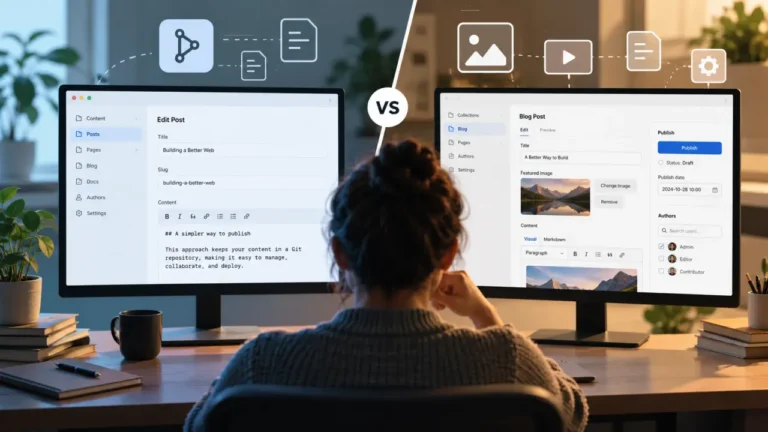
Astro is a natural fit for content-heavy websites. You can keep articles in Markdown or MDX, organize structured content into collections, render most pages as static HTML, and avoid shipping unnecessary JavaScript to visitors.
The problem usually appears when someone other than a developer needs to update the site.
Editing a Markdown file in a Git repository is perfectly reasonable for a developer. It is much less appealing to a marketing manager who wants to change a homepage headline, an editor who needs to replace a featured image, or a client who simply wants to correct a sentence without opening GitHub.
TinaCMS approaches that problem without requiring you to move all of your content into a conventional CMS database. It is a Git-backed CMS designed around files such as Markdown, MDX, and JSON. Git can remain the underlying source of truth while Tina adds schemas, an editing interface, a content API, media management, and visual editing on top.
That architecture makes TinaCMS particularly interesting for Astro. Tina now provides an Astro-specific integration through @tinacms/astro, including contextual visual editing without requiring React inside the Astro page tree. You can find the current implementation details in the official TinaCMS Astro documentation.
This guide looks beyond installation. The goal is to understand how TinaCMS and Astro work together in a real publishing workflow: where content lives, how editors make changes, what visual editing actually means, how Git affects publishing, and where this architecture starts to introduce tradeoffs.
The Core Idea: Keep Git, Add an Editorial Layer
The simplest way to understand TinaCMS with Astro is to separate the responsibilities of each part of the stack.
| Layer | Responsibility |
|---|---|
| Astro | Pages, layouts, components, routing, rendering, and frontend delivery |
| TinaCMS | Content models, editing UI, visual editing, rich text, and content querying |
| Git | Persistent content files, history, diffs, branches, and rollback |
| TinaCloud or self-hosted backend | Production authentication, Content API, editor access, and Git integration |
| Hosting platform | Builds and deploys the Astro website |
The important architectural point is that Tina does not have to become the canonical home of your content.
A blog post can remain a Markdown file. A landing page can remain an MDX or JSON document. A developer can still open that file in a code editor, modify it, and commit it. Tina provides another interface for changing the same underlying content.
TinaCloud can index repository content and expose it through its Content API, while the Git repository remains the source of truth. That model is explained in more detail in the TinaCloud documentation.
This is different from adopting a database-first headless CMS where the canonical version of an article normally lives inside the CMS platform itself. Neither approach is automatically better. They solve different organizational problems.
The appeal of Tina is that an Astro project that already works well as a Git-based site does not need to abandon that architecture simply because non-developers need a better editing experience.
When TinaCMS + Astro Makes Sense
The combination is strongest when developers want to control the component system while editors need control over the content inside those components.
Consider a company marketing site. Developers decide how the Hero, Feature Grid, Testimonials, FAQ, and Call-to-Action components work. Editors decide what the headline says, which testimonial appears, what image is displayed, and where a button links.
That division of responsibility is a good fit for Tina.
Documentation sites are another natural use case. Documentation can remain version-controlled alongside the product while writers receive a richer interface than raw Markdown.
The same approach can work well for developer-focused publications, product websites, and agency projects where clients need to update predefined sections without receiving direct access to the implementation.
The fit becomes weaker when the CMS itself needs to serve as the center of a large organization’s content operations. Teams requiring elaborate approval chains, large numbers of editors, advanced permissions, real-time collaborative writing, or deeply relational content may find a Git-based publishing model less natural.
Tina’s biggest advantage and one of its biggest constraints are therefore closely related: content is tied closely to Git.
What We Are Building
Imagine a small Astro publication containing articles, author profiles, reusable landing-page sections, images, and editable SEO metadata.
A simplified project structure could look like this:
src/
  components/
    Hero.astro
    CTA.astro
    ArticleCard.astro
  pages/
  content/
    posts/
    authors/
  lib/
    tina/

tina/
  config.ts
  __generated__/

public/
  uploads/
The goal is not to turn Astro into an unrestricted drag-and-drop page builder. Instead, developers create dependable Astro components and Tina exposes selected properties of those components to editors.
A hero section, for example, might give an editor control over the eyebrow text, headline, description, image, button label, and button URL. The developer still controls the HTML structure, typography, spacing, responsiveness, accessibility, and design-system rules.
This distinction becomes important once we get to visual editing.
Installing TinaCMS in an Astro Project
For a new project, Tina provides an Astro starter. A typical starting command is:
npx create-tina-app@latest --template tina-astro-starterIf you already have an Astro project, Tina can instead be initialized inside the existing repository:
npx @tinacms/cli@latest initThe initializer can detect or ask for your framework, add Tina configuration, install the relevant packages, and create example content. Existing projects with customized Astro configuration may still need some manual integration, so it is worth checking the generated changes instead of treating the setup process as a black box.
For a manual installation, the important packages typically include Tina itself, the Astro integration, the Tina CLI, and an Astro server adapter suitable for your deployment environment.
pnpm add tinacms @tinacms/astro
pnpm add -D @tinacms/cli
pnpm add @astrojs/node
You can use a platform-specific adapter for environments such as Vercel, Netlify, or Cloudflare instead of the Node adapter when appropriate.
A simplified Astro configuration can look like this:
import { defineConfig } from "astro/config";
import node from "@astrojs/node";
import tina from "@tinacms/astro/integration";
import { tinaAdminDevRedirect } from "@tinacms/astro/vite";

export default defineConfig({
  output: "server",
  adapter: node({ mode: "standalone" }),
  integrations: [tina()],
  vite: {
    plugins: [tinaAdminDevRedirect()],
  },
});
Server output is straightforward for visual editing because editable regions can be re-rendered on demand. Tina’s current Astro integration can also work with static output when editable areas are configured appropriately, so the exact architecture should match how you plan to deploy the site.
Content Modeling Matters More Than the CMS Interface
It is easy to evaluate a CMS by looking at screenshots of its dashboard. In practice, the quality of a structured editing experience depends just as much on the schema.
Suppose our Astro site has a collection of articles. A simplified Tina collection could look like this:
{
  name: "post",
  label: "Posts",
  path: "src/content/posts",
  format: "md",
  fields: [
    {
      type: "string",
      name: "title",
      label: "Title",
      isTitle: true,
      required: true
    },
    {
      type: "datetime",
      name: "publishedAt",
      label: "Published date"
    },
    {
      type: "string",
      name: "excerpt",
      label: "Excerpt",
      ui: { component: "textarea" }
    },
    {
      type: "image",
      name: "featuredImage",
      label: "Featured image"
    },
    {
      type: "string",
      name: "seoTitle",
      label: "SEO title"
    },
    {
      type: "string",
      name: "metaDescription",
      label: "Meta description"
    },
    {
      type: "rich-text",
      name: "body",
      label: "Body",
      isBody: true
    }
  ]
}
The fields in the schema determine what editors see in the CMS, but the resulting document can still remain understandable as a normal Markdown file.
---
title: "Choosing a CMS for Astro"
publishedAt: 2026-08-12
excerpt: "A practical framework for evaluating Astro CMS options."
seoTitle: "Best CMS Options for Astro: A Practical Comparison"
metaDescription: "Compare Git-based and API-first CMS options for Astro."
---

Your article content lives here.
This readability is an important benefit of the architecture. Your content is not useful only through the Tina interface. Developers can inspect it directly, scripts can process it, Git can diff it, and Astro can render it.
A CMS cannot rescue a poorly designed content model, however. If developers expose confusing fields, mix presentation details with editorial decisions, or make everything optional, the editing experience will still be confusing.
TinaCMS and Astro Content Collections
Astro already has a content system of its own, which raises an obvious question: does TinaCMS replace Astro Content Collections?
Usually, it does not have to.
Astro Content Collections help developers organize, query, validate, and render structured content. Tina addresses a different part of the workflow: creating and editing that content.
This means you can use Tina to provide the editorial interface while Astro’s content layer remains responsible for the rendering-side contract. Astro documents its current Content Collections system in the official Content Collections guide.
There is one important implementation issue: you may end up describing similar content rules twice.
Your Tina schema might say that title is required and publishedAt is a date. Your Astro schema may independently enforce comparable rules.
For a small project, that duplication can be acceptable because the schemas serve different purposes. Tina controls the editor-facing model. Astro can validate what the application is prepared to render.
For a larger site, decide explicitly which system is authoritative for each type of validation. Otherwise, it is possible for content to look valid inside the CMS but fail during an Astro build.
Querying Tina Content From Astro
Tina provides a Content API and generates a typed client from your content schema. During local development, the Tina CLI can operate against local repository files while exposing a similar query interface.
The Astro integration also provides requestWithMetadata(), which is useful when a query needs to participate in visual editing.
import { requestWithMetadata } from "@tinacms/astro/data";
import client from "../../../tina/__generated__/client";

export function getPost(relativePath: string) {
  return requestWithMetadata(
    client.queries.post({ relativePath })
  );
}
The metadata matters because Tina needs to know which document and which fields produced the content currently visible in the page preview.
For an ordinary visitor, the result is still an Astro page. For an authenticated editor, Tina can use that additional information to connect the rendered page with the corresponding editing controls.
How TinaCMS Visual Editing Works With Astro
This is the most important part of the integration.
Older Tina tutorials often associate live editing with React and the useTina() hook. The current Astro integration instead provides Astro-specific visual editing through @tinacms/astro. That means an Astro project does not need to place React throughout the page tree simply to make CMS content editable.
At a high level, the flow looks like this:
Tina editor
   ↓
editing bridge
   ↓
editable Astro region
   ↓
server-rendered update
   ↓
live page preview
Tina uses editable page regions that it calls islands. These should not be confused with Astro’s broader islands architecture. In this context, a Tina island is a portion of the page that Tina can associate with editable data and re-render while an editor changes fields.
A page can wrap an editable section using TinaIsland:
---
import TinaIsland from "@tinacms/astro/TinaIsland.astro";
import ArticleBody from "../components/ArticleBody.astro";
---

<TinaIsland
  name="article"
  wrapper="main"
  params={{ slug: Astro.params.slug }}
  primary
>
  <ArticleBody />
</TinaIsland>
Individual rendered elements can then be associated with particular CMS fields through tinaField().
---
import { tinaField } from "@tinacms/astro/tina-field";

const { post } = Astro.props;
---

<h1 data-tina-field={tinaField(post, "title")}>
  {post.title}
</h1>
When an editor interacts with the title in the preview, Tina knows which field controls that element.
This is what makes the integration more interesting than simply placing a form beside a Markdown file. The editor sees the content in the context of the actual Astro page.
Visual Editing Is Not the Same as Arbitrary Page Design
The phrase “visual editing” can create the wrong expectation. It does not necessarily mean editors can redesign anything they see.
Consider an Astro hero component with an eyebrow, headline, description, and call-to-action button. Tina can expose those values as editable fields while leaving the HTML, CSS, spacing, breakpoints, and accessibility behavior under developer control.
That limitation is often useful.
The marketing team receives control over the message without receiving enough layout freedom to accidentally break the site’s design system.
A better way to describe this model is: edit structured content in the context where the content appears.
For many professional websites, that is more useful than giving every editor unrestricted page-builder controls.
Building Pages From Reusable Blocks
Tina can also support a more flexible component-driven page-building model. Developers define the section types that are available, and editors can assemble pages from those predefined blocks.
Landing Page
├── Hero
├── Logo Cloud
├── Feature Grid
├── Testimonial
├── FAQ
└── CTA
Editors can potentially add, remove, and reorder these sections while developers remain responsible for implementing each Astro component.
This creates three broad levels of editorial freedom.
Fixed templates are the most constrained. Editors change predefined fields, but the page structure remains fixed. This is predictable and easy to maintain.
Block-based pages give editors more freedom. They can select and reorder approved components while the design system remains controlled by developers.
Open-ended page building gives editors maximum freedom but also increases schema complexity, testing requirements, component combinations, and opportunities for inconsistent layouts.
For many Astro marketing sites, the block-based middle ground is the most practical option.
Markdown, MDX, and Rich-Text Editing
Long-form content introduces another decision: should writers work with raw Markdown, rich text, or MDX?
Tina’s rich-text fields can provide a more familiar editing interface while the underlying content remains compatible with Markdown-oriented workflows. MDX becomes useful when articles need richer components such as callouts, comparison boxes, interactive examples, or structured product information.
For example, an MDX-based article might conceptually contain a component such as:
<ProsCons
  pros={["Git-backed content", "Visual editing"]}
  cons={["More setup than plain Markdown"]}
/>
A well-designed CMS would not require a non-technical editor to type that code manually. Instead, the editor would complete structured fields and Tina would generate the appropriate content representation.
The useful rule is straightforward: use ordinary prose formats for prose, and use structured fields or components when presentation and behavior need stronger controls.
Media and Image Handling
Media management deserves more attention than it usually receives in CMS tutorials.
An image field is only the beginning. A real publication may also need alternative text, captions, attribution, copyright information, or other editorial metadata.
You also need to decide where the image files themselves live.
Keeping media in Git is simple for smaller websites and preserves the same portability as the rest of the content. The downside is repository growth. A few thousand Markdown documents are tiny compared with years of uploaded screenshots, photographs, and illustrations.
For larger content operations, separating application code from the content or media repository can be worth considering. External media storage may also make more sense when asset volume becomes substantial.
Astro can remain responsible for image rendering and optimization on the frontend, while Tina is responsible for helping editors select the correct assets and enter the required metadata.
Local Editing and Production Editing Are Different
A CMS integration is not finished simply because the editor works on localhost.
During local development, Tina can work directly with repository files. The developer can save an article in the CMS and immediately see the corresponding file change in the working tree.
A production environment has additional requirements: authentication, authorization, a production Content API, Git integration, hosting configuration, and a clear publishing process.
TinaCloud can provide the hosted layer for this workflow, or teams can evaluate self-hosting depending on their requirements.
A typical production publishing path looks like this:
Editor
   ↓
TinaCMS
   ↓
Git repository
   ↓
CI/CD build
   ↓
Astro deployment
   ↓
Live website
This creates an important distinction: saving content and publishing the public website are not always the same event.
For a statically generated Astro site, a Git content change commonly needs to trigger another build before visitors see the update. The delay may be trivial for a small site or more noticeable for a large build.
That is perfectly acceptable for many documentation and marketing websites. It may deserve more scrutiny for a high-frequency publication where corrections need to appear almost instantly.
What Happens in Git When an Editor Makes a Change?
This is one of the most useful parts of evaluating Tina with a real repository.
Suppose an editor changes this title:
title: "Best Astro CMS Options"to:
title: "Best CMS Options for Astro"The important output is not only the updated page. You also have an ordinary file change that Git can understand.
A developer can inspect the diff. Git preserves the previous version. A branch can contain the proposed content change. A pull request can be reviewed. Automated checks can validate the content. A mistake can be reverted.
This gives editorial content some of the same governance mechanisms development teams already use for code.
The tradeoff is that Git becomes publishing infrastructure rather than merely developer tooling.
Repository structure now matters to editors indirectly. Renaming a directory, changing a schema field, or moving a collection can affect the CMS. Content conflicts can occur. Schema migrations need planning.
Git gives you excellent history, but it does not eliminate content operations. It changes how those operations are managed.
Editorial Workflow and Governance
A small website may be comfortable allowing an authenticated editor to save content directly to the main content branch.
Larger teams usually need some separation between drafting and publishing.
Because Tina is Git-based, branches and pull requests can become part of the editorial workflow. An editor can work on a proposed change without immediately changing the production branch, while reviewers can inspect the result before it is merged.
This is particularly attractive for documentation teams that already treat technical content like code.
However, hiding GitHub from the editor does not make the underlying Git model disappear. The team still needs sensible rules for branches, previews, merges, conflicts, and ownership.
For teams accustomed to workflow states such as Draft, Copy Edit, Legal Review, Scheduled, and Published, a branch-based model may require more adaptation than a traditional enterprise CMS workflow.
Also verify Tina’s current plan limits before making features such as Editorial Workflow a hard requirement. The available features and pricing tiers can change, so production decisions should be based on the current TinaCMS pricing page.
SEO With TinaCMS and Astro
Tina can make an Astro SEO workflow easier to manage, but adding CMS fields does not automatically improve rankings.
A practical content model might give editors control over an SEO title, meta description, social sharing image, and—in advanced cases—a no-index setting. Canonical URLs and other predictable metadata can usually be generated automatically by the Astro application.
Your Astro layout can then translate the editorial fields into page metadata.
<title>{seoTitle ?? title}</title>
<meta name="description" content={metaDescription} />
The benefit is editorial control with safe defaults. Writers do not need to edit the HTML head, and developers do not need to ask editors to fill out technical fields that can be derived automatically.
A useful rule for CMS design is to expose decisions, not implementation details. Every unnecessary field adds cognitive load.
Where AI Fits Into TinaCMS + Astro
AI deserves a separate discussion because adding generative features to a CMS is not the same as improving a real editorial workflow.
There are two different questions to ask.
The first is whether Tina provides native AI features directly inside its editor. Tina’s AI capabilities have continued to develop, so anyone evaluating a specific built-in feature should verify its current availability and plan requirements rather than relying on an older feature list.
The second—and potentially more interesting—question is what AI workflows can be built around Git-backed content.
Because content exists as normal repository files, AI systems can analyze proposed changes without requiring a proprietary CMS export. An automated workflow could draft meta descriptions, identify stale documentation, suggest tags, generate summaries, propose translations, check editorial rules, or flag missing accessibility information.
The strongest implementation is usually not to let an AI system silently rewrite production content.
A safer workflow looks like this:
Content
   ↓
AI suggestion
   ↓
Branch or pull request
   ↓
Human review
   ↓
Merge
   ↓
Deployment
This approach takes advantage of Git’s strongest property for AI-assisted publishing: generated changes can be reviewed as explicit diffs.
For serious editorial teams, that can be more valuable than simply placing a “Write with AI” button beside every text field.
Does TinaCMS Hurt Astro Performance?
Adding a CMS does not automatically mean turning an Astro site into a client-side application.
The current Tina integration is notable because Astro visual editing does not require adding React throughout the public page tree. Editing infrastructure is activated where it is needed, while Astro remains responsible for rendering the site.
This means the existence of TinaCMS does not inherently erase the performance benefits that attract developers to Astro.
That does not mean you should assume the integration has zero cost. Production performance still depends on your rendering mode, hosting adapter, image handling, scripts, third-party services, content volume, and implementation choices.
A useful test is therefore to compare the production site before and after CMS integration rather than relying on a generic performance claim.
Deployment: From CMS Save to Live Astro Page
The exact deployment setup depends on your hosting provider, but the important concept is the same.
Your repository contains the Astro application and Tina configuration. The production environment receives the required Tina credentials and environment variables. The build makes the CMS admin available, and your selected Astro adapter supports the routes required by the editing setup.
When Tina commits a content change to the connected Git repository, your normal Git-based deployment system can trigger a new build.
That is convenient, but teams should think carefully about deployment frequency.
If an editor makes ten small saves, do you want ten production builds? For a low-volume site, perhaps that is irrelevant. For a large publication, it can affect build queues, hosting usage, and publishing efficiency.
Branches, preview deployments, and merge-based publishing can make more sense than treating every individual save as a production release.
How to Debug TinaCMS + Astro
The most effective way to troubleshoot the integration is to trace the entire content pipeline rather than starting only with the visible error.
Editor
→ Tina data
→ repository file
→ query
→ Astro component
→ build
→ deployment
→ visitor
If the CMS shows the correct value but the public page does not, confirm whether the underlying file was updated. If the file is correct, inspect the query. If the query is correct, inspect the component. If the local site works but production does not, move on to the deployment and environment configuration.
If click-to-edit highlighting fails, check whether the rendered area is correctly configured as an editable Tina region and whether the appropriate data-tina-field information is present.
If a new static page does not appear after creation, check whether your static site has actually rebuilt with the new route.
If changing a schema suddenly breaks old documents, treat the change as a data migration. The fact that your database happens to consist of Markdown files does not remove migration risk.
Developer Experience
From a developer’s perspective, TinaCMS is most attractive when you already believe content belongs in the repository.
The schema and generated client provide a clearer contract than an unstructured collection of Markdown files, while Astro-specific visual editing makes the integration more coherent than older approaches that depended on React for live editing.
The cost is additional architecture.
A production implementation may include Tina configuration, generated types, query helpers, editable regions, production authentication, deployment configuration, and CMS-aware Astro components.
That is considerably more machinery than simply calling Astro’s content APIs and rendering Markdown.
The useful question is therefore not “Is TinaCMS simple?”
Ask instead: Is the additional complexity justified by the editorial experience this project requires?
If developers are the only people updating the site, the answer may be no. If several non-technical contributors need safe editing and contextual previews, the calculation changes quickly.
Editor Experience
The editor sees a completely different side of the system.
Instead of navigating folders in a repository, the editor works with collections, forms, media fields, rich-text controls, and a preview of the actual website.
That is the central value Tina adds to a Git-based Astro site.
The strongest implementations also hide unnecessary technical concepts. An editor should think in terms of Article, Author, Hero, CTA, and Featured Image—not GraphQL queries, frontmatter keys, and repository paths.
Good schema design matters here as much as good UI design.
A field called showOnHpV2 may make sense to the developer who added it, but it is a poor editorial label. Likewise, giving editors 40 configuration options for a hero component technically creates flexibility while practically creating uncertainty.
Visual editing works best when it reduces ambiguity: the editor clicks a headline, changes the headline, and sees the result where that headline actually appears.
TinaCMS + Astro: Strengths and Limitations
| Area | Practical assessment |
|---|---|
| Content ownership | Strong: content can remain Git-backed |
| Developer control | Strong: Astro components remain developer-owned |
| Visual editing | Strong, with Astro-specific integration |
| Markdown and MDX workflow | Strong fit |
| Version history | Strong through Git |
| Portability | Strong compared with proprietary-only content storage |
| Initial setup | More involved than Astro alone |
| Schema maintenance | Requires ongoing developer ownership |
| Editorial workflow | Can work well, but Git remains part of the model |
| Instant publishing | Depends on rendering and deployment architecture |
| AI workflow potential | Interesting because content changes are diffable and automatable |
| Complex relational content | Less natural than a database-first content platform |
Tina is therefore not simply “Astro with an admin panel.”
It introduces a deliberate publishing architecture: developers model the content, editors work through that model, Git records the changes, and Astro renders the result.
TinaCMS vs Other Ways to Manage Astro Content
The right alternative depends on which part of the Tina architecture you actually need.
| Approach | Content source | Visual editing | Git-native | Strongest fit |
|---|---|---|---|---|
| Astro Content Collections alone | Local or remote content | No CMS visual editor | Yes for repository files | Developer-managed content |
| TinaCMS | Markdown, MDX, or JSON in Git | Yes | Yes | Git ownership plus visual editing |
| Decap CMS | Repository files | Primarily admin-style editing | Yes | Traditional Git CMS workflows |
| Hosted headless CMS | CMS database or API | Varies | Usually no | Collaborative structured content |
| Visual SaaS CMS | Hosted content platform | Usually strong | Usually no | Marketing-led component editing |
Astro Content Collections alone remain the cleanest answer when developers are comfortable managing the content themselves.
A simpler Git CMS may be sufficient when editors only require forms and media controls.
Tina becomes particularly interesting when visual editing and Git-based content ownership are both requirements.
A database-first headless CMS becomes more attractive when the content platform needs to manage complex permissions, localization, relationships, workflows, and multiple publishing channels independently of the website repository.
Pricing and Value
TinaCMS is open source, but production teams considering TinaCloud should include the hosted service in their cost evaluation.
Pricing, user limits, workflow features, and plan boundaries can change, so use the official TinaCMS pricing page as the source of truth when making a purchasing decision.
The more useful value calculation is not simply “How much does the CMS cost?”
Ask what the alternative costs.
If Tina prevents a development team from building and maintaining a custom editorial interface, paying for a hosted CMS layer may be easy to justify. If one developer updates a handful of Markdown files each month, the project may not need a CMS at all.
Who Should Use TinaCMS With Astro?
TinaCMS is a strong candidate when your team can answer yes to three questions.
Do you want content to remain in Git?
Do non-developers need a proper editing interface?
Do those editors benefit from seeing changes in the context of the rendered Astro website?
If all three are true, Tina solves a specific problem particularly well.
The combination is especially interesting for documentation teams, developer-led marketing sites, agencies, technical publications, and product websites where content and code benefit from sharing version-control infrastructure.
Consider a different CMS architecture when your organization wants content operations to be mostly independent of the website repository, requires sophisticated real-time collaboration, has deeply relational data, or needs the CMS to operate as a company-wide content hub across many channels.
Final Verdict: Is TinaCMS a Good Fit for Astro?
TinaCMS and Astro make sense together because neither product needs to become something it is not.
Astro remains responsible for building the website.
Git remains responsible for storing and versioning the content.
Tina provides the editorial layer that is otherwise missing from a file-based publishing workflow.
For developers, the tradeoff is additional CMS architecture: schemas, generated clients, editable regions, authentication, and a publishing pipeline that needs to be maintained.
For editors, the payoff can be substantial. Instead of being told that “the site is easy to edit because the content is Markdown,” they receive an actual editing interface with structured fields, rich-text controls, media management, and contextual visual editing.
For teams, Git is both the strength and the constraint. You gain diffs, history, branches, pull requests, automation, and rollback. You also inherit builds, merges, repository structure, and deployment considerations as part of the publishing workflow.
That makes TinaCMS less compelling when you merely want to bolt a generic admin panel onto an Astro site.
It becomes much more compelling when Git-based content ownership is a requirement rather than an implementation detail.
So instead of asking whether TinaCMS is simply “the best CMS for Astro,” ask a more useful question:
Do we want Astro’s developer-controlled, file-based architecture while giving editors a visual publishing experience without moving our content out of Git?
If the answer is yes, TinaCMS is one of the more coherent ways to build that workflow.