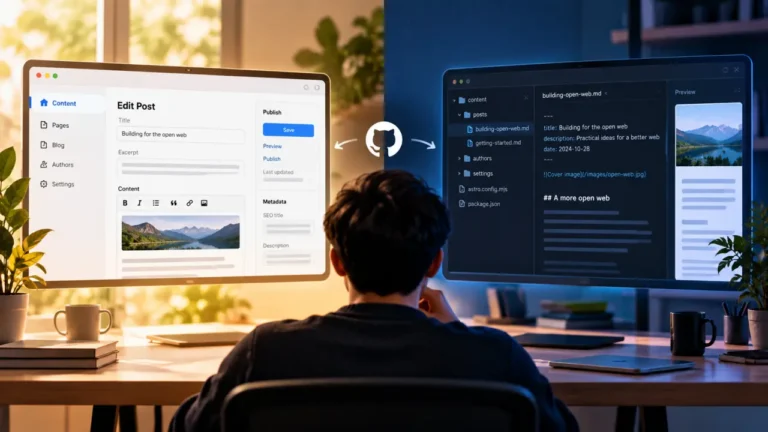
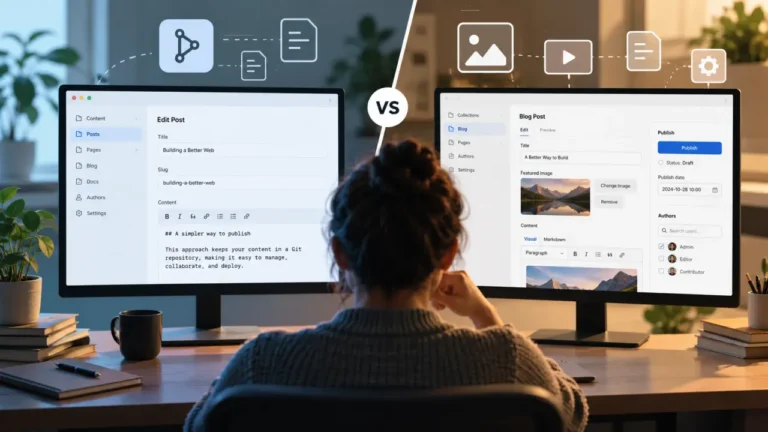
A headless CMS is a content management system with the publishing side removed. You still get a place to write, edit and organize content. What you do not get is the part that turns that content into pages a reader sees. Something else does that, and something else is a separate piece of software your developers build and run.
That is the whole definition. Everything confusing about the term comes from what people leave out of it.
Why the definitions you have read did not land
Most explanations of headless describe an architecture: content in one system, presentation in another, joined by an API. That is accurate and it is useless, because it describes a shape rather than a consequence. You do not need to know the shape. You need to know what is different on the screen you work in every day and who you have to talk to when something is wrong.
There is a second reason, and it is worse than an unhelpful metaphor. The word names two different projects with almost nothing in common from an editorial seat, and both get called the same thing in the same meeting.
The first project keeps your existing system and replaces only what readers see. In the WordPress case, this is usually called headless WordPress. WordPress stays. Your login stays, your editor stays, your media library stays. A new front end is built that reads content out of WordPress and renders the site.
The second project replaces the system entirely. The old platform goes away, its content is migrated into a new one built for the headless model, and everybody learns a new tool.
The first is a front-end project with editorial side effects. The second is a full replatforming with all the risk that carries. If your team is discussing “going headless” and has not established which one is on the table, the discussion is not about the same thing for everybody in the room. That question is worth asking before anything else in this article matters, and if the answer is the second one, what actually breaks in a move of that size is its own subject, covered in the CMS migration guide.
What stays exactly the same
This is the part that gets undersold, and it matters because most of the fear about headless attaches to things that do not change.
Writing. You are still typing into a field in a browser. Depending on the platform you get a rich-text editor, a block editor, or a structured form. All of them are recognizable as a place to write.
Editing and revising. Drafts, edits and saves work the way you expect.
Organizing. Content types, categories, tags or their equivalents exist. The vocabulary changes; the job does not.
Media. You upload images and the system stores them.
Roles. Somebody is an editor and somebody is a contributor.
If a vendor demo of a headless CMS looked reassuringly ordinary, that is not a trick. The writing side genuinely is ordinary. What changes is what happens after you press the button.
What actually changes for you
Publishing stops being one action
On a traditional CMS, publish means the post is live. One button, one result, a few seconds.
On a headless setup, publish means the content is now available to whatever builds the site. Whether a reader can see it depends on the front end picking it up, and how that happens varies: it may be immediate, it may require a build that takes minutes, it may happen on a schedule.
The practical consequence is that “is it live?” becomes a question you sometimes have to check rather than know. Find out on day one what your answer is, in seconds or minutes, and what you are supposed to do if the number is wrong.
Preview is the function most likely to change
Of everything in this article, this is the one that produces the most day-to-day friction, and it is consistently written up as a developer to-do rather than an editorial problem.
In a traditional CMS, preview shows you your unpublished work as a page. That works because the same system holds the content and renders the page.
Split them and preview has to be rebuilt deliberately. It is three separate cases and they are not solved together. Previewing a draft. Previewing something scheduled. Previewing an edit to a post that is already live, without the reader seeing the edit.
Any of the three can be built. None of them is automatic, and it is common for a launch to ship with one of them working and the other two not. Ask which of the three you will have on the day you go live, and ask it before the launch rather than during it.
You gain a fluent way to say “the site is broken” and no way to fix it
On a traditional platform, a page that renders wrong is often something an editor can address: change a setting, fix a block, swap a template part.
When the front end is separate software, a page that renders wrong is a code change. You describe it, someone else fixes it, and it goes out when their work goes out. This is not a criticism of the model. It is a real transfer of who can act, and it is the change that most often surprises a team that was told nothing much would be different.
Your content becomes more structured, and that cuts both ways
Headless platforms tend to want content in fields rather than in one large body: a heading here, a summary there, an image with its own caption field, a list of related items.
The gain is real. Structured content can be reused, rendered differently in different places, and queried sensibly.
The cost is also real. Fields are a constraint. A post that does not fit the shape has to be argued about, and “we cannot do that layout because there is no field for it” becomes a sentence you say. Whether that constraint is worth it depends on whether your content genuinely repeats in a pattern or whether every piece is its own thing.
Where “headless” is often marketing rather than architecture
Two things get called headless that are not the shape described above, and knowing this saves you from comparing the wrong products.
A traditional platform with an API is not headless. Most established CMS platforms, WordPress included, can serve content over an API. That capability is what makes headless WordPress possible. It does not make the platform headless, because the publishing side is still there and still works. A system that can be used headlessly and a system that can only be used headlessly are different purchases, and the first is a much safer bet if you are not certain.
“Hybrid” and “visual editing” usually mean the head came back. Several headless platforms now ship an editing layer that shows content in something like its final presentation. That is a good thing and it closes most of the preview gap. It is worth checking, on the specific plan you would be buying, whether that layer is included, whether it works on your front end or only on templates the vendor supplies, and how much setup it takes.
The questions to ask, in the order that decides it
Which project is this? Replacing the front end, or replacing the whole system. Everything else depends on the answer.
Who publishes, and can they still do it unaided? Not “can somebody publish”, but the least technical person on your team, on a normal Tuesday, without asking for help. If the answer involves a developer, you have not chosen a CMS, you have chosen a dependency.
What does publish mean here, in seconds? Immediately visible, a build of a few minutes, or a scheduled rebuild.
Which of the three previews will exist at launch? Drafts, scheduled posts, edits to live posts.
When a page looks wrong, who fixes it and on whose schedule? Ask for the actual answer, including whether that person is on your team.
What happens to a post that does not fit the fields? Ask for a worked example with a piece of your own awkward content, not a demo one.
The honest summary
Headless separates where content lives from where it is displayed. For a writer, that separation shows up in four places: publishing is no longer instantly a page, preview has to be built rather than assumed, presentation problems become someone else’s ticket, and content gets more structured whether or not your content wanted to be.
Everything else about the working day stays close to what you already know. The category’s marketing overstates how different the writing is and understates how different the publishing is, and it is the publishing half where a team gets caught.
If those four trades read as acceptable for how your team actually works, headless is a reasonable direction. If any of them lands on the one person who has to get a post out on a deadline with nobody to ask, that is a finding, not a detail, and it is worth surfacing before a decision rather than after one.