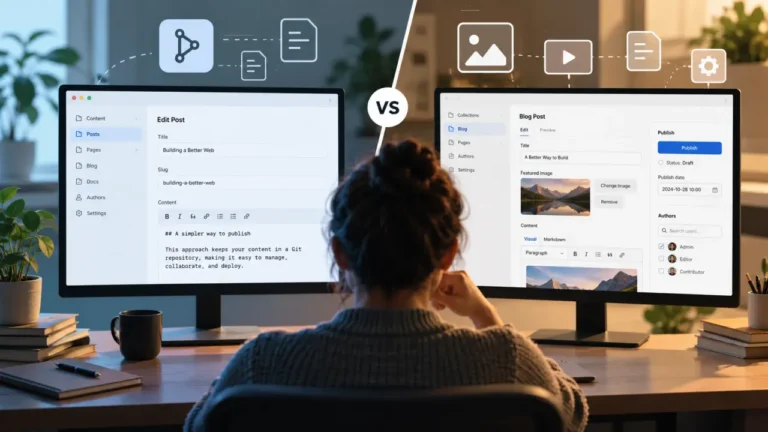
Searching for a TinaCMS alternative sounds like a straightforward product-comparison problem. It usually is not.
TinaCMS combines several ideas that other content management systems separate: Git-backed content, structured schemas, a content API, an editor interface, and visual editing. Its content can remain in Markdown, MDX, JSON, and other repository files while Tina adds a CMS layer on top.
That means there is no single “best TinaCMS alternative.”
If Tina feels too complicated for your Markdown blog, you need a simpler Git CMS. If you like Git but want a more code-oriented content model, you need a different kind of Git CMS. If visual editing is the part you like but Git-based publishing is the part you dislike, replacing Tina with another Git-backed CMS solves the wrong problem.
The useful question is therefore not “What competes with TinaCMS?”
It is “Which TinaCMS tradeoff do I no longer want?”
This guide uses that question to narrow the field. Rather than ranking seven unrelated CMS products from best to worst, it maps common TinaCMS frustrations to the alternatives most likely to solve them.
The Short Answer: Pick the Alternative Based on the Complaint
If TinaCMS feels like too much machinery for a simple Git site: start with Pages CMS. It edits content directly in GitHub repositories and deliberately keeps the content architecture thin. GitHub remains the source of truth for the content.
If you still want Git but prefer a more code-first CMS: start with Keystatic. It uses a TypeScript-oriented configuration model and can write content locally or through GitHub.
If you want a conventional open-source Git CMS: consider Decap CMS. It puts a CMS interface in front of repository content and can work with multiple Git backends without requiring your frontend to adopt a special content API.
If you like visual editing but want to stop using Git as the content backend: look at Storyblok. Its Visual Editor is designed around editing component-driven pages while content is delivered through Storyblok’s APIs rather than repository files.
If your content model has become more relational and reusable than Markdown files comfortably support: evaluate Sanity. Its Content Lake stores structured content that can be queried, referenced, and delivered across channels, while Sanity also provides visual-editing capabilities.
If you want to own the CMS backend and database without treating Git as your database: consider Payload. Payload is self-hostable and currently supports MongoDB, Postgres, and SQLite through official database adapters.
If the project is becoming a data platform rather than merely a content website: consider Directus. Directus can run as a managed service or be self-hosted with Docker, and its current platform includes both live preview and in-place visual editing.
Before Choosing an Alternative, Decide Whether You Still Want Git
This is the most important decision in the entire comparison.
TinaCMS is not simply a headless CMS that happens to integrate with Git. Git-backed content is central to its model. Tina stores content in repository files and provides a Content API over that content. Its current documentation describes the API as a way to interact with Git-based content as though it were in a database.
That architecture gives developers valuable properties. Markdown remains readable. Changes have Git history. A developer can inspect diffs, use branches, revert changes, and edit a document without opening the CMS.
But it also means Git is part of the publishing system.
A typical static-site publishing path may look like edit → commit → build → deploy → live site. Tina’s own Content API documentation notes that newly created pages in a statically generated site require a rebuild or framework-specific handling before they can be served.
If you still like that architecture, stay inside the Git CMS category. Keystatic, Decap CMS, and Pages CMS are the alternatives worth comparing most seriously.
If the repository itself has become the problem—because publishing volume is high, editors are struggling with Git-driven workflows, content needs to feed many applications, relationships are getting complicated, or builds are becoming an unnecessary publication step—switching from TinaCMS to another Git CMS may simply recreate the same problem in a different interface.
In that case, the more relevant comparison is TinaCMS versus Storyblok, Sanity, Payload, or Directus.
1. Pages CMS: Best When TinaCMS Feels Like Overkill
Pages CMS is the alternative I would examine first when the complaint is simple: “I like Git-based content, but Tina does far more than my project needs.”
Pages CMS is an open-source CMS for sites whose content lives in GitHub repositories. It edits repository files directly, and GitHub remains the content source of truth. Its hosted quick-start workflow is essentially: sign in with GitHub, install the Pages CMS GitHub App, choose a repository, add a .pages.yml configuration, and start editing.
That creates a much thinner content-management layer than Tina’s generated Content API and contextual-editing architecture.
Suppose you have an Astro blog containing fifty Markdown files. Editors need to change titles, excerpts, dates, images, and article bodies. They do not need to click directly on the rendered homepage, rearrange sophisticated page components, or query repository content through a GraphQL layer.
In that situation, Tina may be solving problems you do not actually have.
Pages CMS is especially attractive for small documentation sites, blogs, portfolios, straightforward marketing websites, and projects where the desired CMS experience is essentially “give humans a friendly way to edit these GitHub files.”
There is one architectural nuance worth understanding. Pages CMS’s claim of having no separate CMS database refers to the content itself: content remains in GitHub. A self-hosted Pages CMS instance currently uses PostgreSQL for application state, authentication-related information, parsed configuration, caching metadata, and similar operational data.
That distinction does not reduce its value. It simply prevents “no database” from being interpreted as “the CMS application has no server-side state whatsoever.”
Choose Pages CMS when: you still want GitHub-based content, want a much smaller CMS surface, and do not need Tina’s richer visual-editing or Content API architecture.
Do not choose Pages CMS to solve: a desire for more powerful visual page building, sophisticated cross-channel structured content, or a need to get away from GitHub-oriented publishing entirely.
2. Keystatic: Best When You Want a More Code-First Git CMS
Keystatic is probably the most obvious TinaCMS alternative for developers who still believe in repository-based content but want the CMS to feel closer to the application’s source code.
Keystatic describes itself as content management for your codebase. It can make Markdown, JSON, and YAML-oriented content editable while supporting local filesystem workflows as well as GitHub-backed collaboration.
The philosophical difference matters.
Tina asks: How can Git-backed content behave more like a modern visual CMS?
Keystatic asks: How can structured content management feel like another native part of the application’s codebase?
Keystatic’s local storage mode writes directly to the local filesystem. Its GitHub mode works with an existing GitHub repository, and collaborators using that mode need write access to the repository. Keystatic Cloud provides another authentication path for GitHub-connected projects.
This model is particularly compelling for Astro developers.
Keystatic has a dedicated Astro integration, and its official Astro guide demonstrates using Keystatic-managed content alongside Astro’s own content systems rather than requiring every application to reorganize itself around a separate remote content database.
It also becomes interesting for MDX-heavy content because developers can create structured content components rather than asking writers to manually type complex component markup.
The tradeoff is visual editing.
If your main reason for using Tina is its contextual editing—where content on the rendered page can be mapped back to editable fields—Keystatic is not a one-for-one replacement for that experience. Tina’s current Astro integration explicitly provides first-class visual editing without requiring React in the Astro page tree.
That makes the decision relatively clear.
Choose Keystatic when: you like Git, like structured content, care strongly about developer ergonomics, and are comfortable with a CMS experience centered more on structured editing than full contextual page editing.
Stay with Tina or evaluate a visual-first CMS when: click-to-edit page context is one of the primary reasons your editors use the CMS.
3. Decap CMS: Best When You Want a Conventional Open-Source Git CMS
Decap CMS takes a more traditional approach than either Tina or Keystatic.
Formerly known as Netlify CMS, Decap is an open-source CMS built around Git workflows. It is designed to work with static-site generators rather than requiring one specific frontend framework. Content stays in the repository alongside the code.
Its core mental model is straightforward: configure collections and fields, provide an admin interface, connect a Git backend, and allow editors to update the files your website already consumes.
That separation is useful if one of your complaints about Tina is the amount of CMS-specific application architecture involved.
A Decap-managed Astro site can continue reading Markdown through Astro without needing the public application to treat Decap as a runtime content service. Decap’s backend exists to communicate with the service storing the content—usually a Git host—and to read and update files through that service’s APIs.
Decap is also more flexible than a GitHub-only mental model suggests. Its documentation includes backend options and integrations for GitHub, GitLab, Bitbucket, Azure, Gitea/Forgejo, and Git Gateway-style configurations.
Its Editorial Workflow is another reason Git-oriented teams still consider it. With supported configurations, unpublished entries can correspond to pull requests, and saves add commits until the content is published and merged.
Where Decap is less convincing as a Tina replacement is contextual visual editing. Decap can provide previews and custom editor experiences, but its fundamental approach is closer to “CMS admin plus preview” than Tina’s deeper field-to-page visual-editing model.
Choose Decap CMS when: you want open-source Git publishing, broad backend flexibility, and low coupling between the CMS and the frontend application.
Do not choose it because: you expect a drop-in replacement for Tina’s visual page-editing experience.
If Git Is the Problem, Stop Comparing Git CMS Platforms
This is where many CMS migrations go wrong.
A team becomes frustrated with Tina because every content change participates in a Git-oriented workflow. They then migrate to another Git-backed CMS and discover that content still lives in commits, repository permissions still matter, conflicts are still possible, and static publishing may still involve another deployment.
The interface changed. The architecture did not.
If your actual complaints include high-frequency publishing, complex relationships, content shared across multiple products, editorial operations independent of engineering, or increasing pressure to treat content as structured data rather than website files, your better alternatives probably sit outside the Git CMS category.
4. Storyblok: Best When You Like Visual Editing but Dislike Git Publishing
Storyblok makes sense when the visual part of Tina is attractive but the repository-backed publishing model is not.
Storyblok’s Visual Editor gives editors an interface for writing, arranging, and managing content while developers connect frontend components to Storyblok content. Its content is then delivered through APIs rather than treated as Markdown files committed to your website repository.
That changes the publishing model substantially.
Imagine a marketing site made of Hero, Logo Cloud, Features, Testimonials, Pricing, FAQ, and CTA sections. In Tina, those components can still ultimately be represented by Git-backed content. In Storyblok, the content model exists in the CMS and your application requests the resulting structured content through its delivery APIs. Storyblok’s block system is explicitly designed around reusable and nestable content blocks.
This is often a better organizational fit when marketers think in pages and components while developers think in APIs and frontend rendering.
You give up one of Tina’s biggest advantages, however: the canonical content is no longer a collection of ordinary Markdown or JSON files sitting beside your code in Git.
That affects portability, local editing, version-control workflows, and how developers reason about content ownership.
Choose Storyblok when: you value a visual, component-based marketer experience more than you value Git as the canonical content store.
Do not switch to Storyblok merely to simplify Tina: you are not simplifying the same architecture; you are choosing a different content architecture.
5. Sanity: Best When Your Content Has Outgrown Files
Sometimes the frustration blamed on Tina is really a content-modeling problem.
A blog post maps cleanly to a Markdown file.
An article that references authors, companies, products, research reports, topics, campaigns, regions, events, and other reusable entities begins to look less like a document and more like a content graph.
That is where Sanity becomes a more relevant alternative.
Sanity’s Content Lake stores content as structured data that can be queried and referenced across channels. Sanity documents references as bidirectionally indexed connections between documents, allowing content types to be connected rather than repeatedly embedded into page-specific files.
Its Studio is a configurable content workbench generated from developer-defined schemas, and Sanity’s current visual-editing system connects the Studio with the frontend so editors can view drafts, click elements, and see updates in context.
Sanity has also continued pushing visual page-building capabilities. Its current Visual Editing documentation includes drag-and-drop support for adding, moving, removing, and reordering content sections within a site preview.
This creates an interesting comparison with Tina.
Tina is attractive when files are the desired content model and visual editing needs to be added around them.
Sanity becomes attractive when structured, reusable content is the desired model and the website is only one place that consumes it.
The price of that flexibility is architectural commitment. Your content now lives in Sanity’s content platform rather than naturally existing as portable Markdown files in your application’s repository.
Choose Sanity when: content reuse, relationships, structured querying, real-time editorial work, and multi-channel delivery matter more than Git-file ownership.
Stay in the Git CMS category when: your content remains fundamentally document-oriented and you value having those documents directly inside the repository.
6. Payload: Best When You Want Full Backend and Database Ownership
Payload is a useful alternative when someone says, “I chose Tina because I care about ownership, but I have realized that Git is not the kind of ownership I actually need.”
Payload approaches the problem from the application-backend side. It provides an admin interface, schemas, APIs, authentication, access control, uploads, and database access as part of a broader application framework.
The database belongs to your architecture. Payload’s current official database adapters support MongoDB, Postgres, and SQLite, and its production documentation states that the open-source software can be self-hosted wherever an appropriate Next.js environment can run.
That gives you a very different kind of control from Tina.
With Tina, ownership often means: my content is in my Git repository.
With Payload, ownership can mean: my CMS application and database run inside infrastructure I control.
Payload is especially worth considering when the website is becoming application-like. Perhaps users authenticate. Some content is private. Products and accounts have relationships. There are forms, memberships, gated downloads, or operational records. At that point, turning everything into Markdown because you originally wanted a Git CMS can become counterproductive.
Payload also supports Live Preview. Its current implementation can render the frontend inside the admin interface and update it as content is edited.
The biggest caveat is framework fit. Payload is deeply connected to the Next.js ecosystem in its current architecture. That makes it particularly compelling when your application is already Next.js-based, but it is a much larger architectural departure for an Astro site that originally chose Tina because content and frontend could remain lightweight and file-driven.
Choose Payload when: you want database ownership, self-hosting, authentication, access control, APIs, and CMS functionality within one application backend.
Do not think of Payload as a lighter Tina replacement: it solves a broader class of application and data problems.
7. Directus: Best When Your CMS Is Turning Into a Data Platform
Directus becomes interesting when the word “content” is starting to include far more than articles and landing pages.
Suppose the platform now manages locations, events, products, customers, directories, taxonomies, inventory-like records, internal data, and website content from the same environment.
That is no longer primarily a Markdown-editing problem.
Directus can run as a managed cloud service or be self-hosted with Docker. In a self-hosted deployment, you control the database, file storage, cache, and surrounding infrastructure.
It also now provides a dedicated Visual Editor. Directus distinguishes that experience from ordinary live preview: the Visual Editor lets users navigate the rendered website, select linked content, edit it in place, and see the changes reflected in the preview.
That makes Directus more relevant to Tina users than it might initially appear. You can still provide a visual editorial experience, but the underlying model is database-centric rather than Git-file-centric.
The advantage is that content can coexist more naturally with other structured data.
The disadvantage is that you have moved much further away from the simplicity of “my article is a Markdown file I can open in VS Code.”
Choose Directus when: your CMS is becoming the administrative layer over a larger structured-data system.
Do not choose Directus merely because Tina configuration annoys you: the operational architecture is substantially different and should be justified by broader data requirements.
Which TinaCMS Alternative Is Best for Astro?
For Astro projects, the answer depends heavily on whether you want to preserve Astro’s file-based content philosophy.
Tina itself now has unusually strong Astro support. Its current Astro documentation calls Astro its default starter and provides first-class visual editing through @tinacms/astro without requiring React in the page tree.
That means leaving Tina should solve a specific problem; switching simply because another CMS has an Astro integration is not enough reason.
If you want to preserve Git and a developer-centric Astro architecture: Keystatic is the alternative I would test first. Its official Astro support and local/GitHub content modes fit naturally with developer-controlled content projects.
If you have a simple Astro site and want the smallest Git CMS layer: Pages CMS deserves serious consideration.
If you want a loosely coupled CMS and broad Git-provider flexibility: Decap CMS is still relevant precisely because it does not need to become an Astro-specific content runtime.
If you no longer need content to remain in Git: Storyblok and Sanity become much more interesting because the decision moves from “which Git CMS integrates best with Astro?” to “which external content platform gives our editors and content model what they need?”
The most useful questions for an Astro team are therefore: Do we still want Markdown as the canonical content? Do editors need contextual page editing? Do new pages need to become Git commits? Will this content eventually serve applications other than the Astro website? And is the current problem really Tina—or the Git-based publishing architecture beneath it?
What If TinaCloud Is What You Dislike?
“I don’t want TinaCloud” can mean several different things, and each points toward a different alternative.
If the objection is SaaS dependence, remember that Tina also documents a self-hosted backend option, so leaving Tina is not automatically required simply because the hosted backend is undesirable.
If the real goal is a simpler Git-based service, Pages CMS or Keystatic may be a better architectural reduction.
If you want a conventional open-source Git workflow where the CMS remains largely detached from the application, Decap is another strong candidate.
If what you actually want is complete control over the database and backend, then Payload or a self-hosted Directus deployment addresses that requirement more directly than switching between Git CMS products. Payload can be self-hosted, while Directus provides documented Docker-based self-hosting.
The useful distinction is between not wanting TinaCloud and not wanting hosted content infrastructure of any kind. Those are different requirements.
What If Tina’s Visual Editing Is What You Dislike?
Again, diagnose the complaint before picking the replacement.
If you dislike visual editing because your editors never use it, moving to another visual-first CMS makes little sense. You are paying implementation complexity for a capability that has little organizational value.
In that case, Keystatic, Pages CMS, or Decap CMS may create a cleaner workflow.
If you dislike Tina’s visual editing because you want more marketer-oriented composition, the answer goes in the opposite direction. Storyblok is designed around its Visual Editor and component blocks, while Sanity now supports live contextual editing and drag-and-drop page composition in its Visual Editing system.
If you want visual editing while owning the backend, Payload and Directus are also increasingly relevant. Payload offers Live Preview, while Directus now provides in-place Visual Editor capabilities in addition to its standard preview system.
The important distinction is between form editing, preview, and contextual editing. Do not treat all three as equivalent just because a vendor uses the word “visual.”
What If Git Publishing Is Slowing Your Team Down?
This is the clearest sign that the team should at least evaluate leaving the Git CMS category.
Git-based publishing is excellent when reviewability matters. An edit can become a diff. A branch can become a draft. A pull request can become an approval step.
Decap’s Editorial Workflow demonstrates this model directly by turning unpublished content into Git-oriented review activity. Tina likewise documents an Editorial Workflow capable of creating branches, commits, and pull requests from its editor.
But not every editorial team wants Git semantics underneath publishing.
If editors publish hundreds of updates, schedule campaigns independently of developers, operate across many channels, or expect content state to change without rebuilding a site, API/database-first systems become easier to justify.
Sanity stores structured content in its Content Lake for API delivery. Storyblok exposes its content through dedicated delivery APIs. Payload and Directus put a database-backed content/application layer directly under the CMS.
If your engineering team is spending increasing amounts of effort making a Git publication pipeline behave like a real-time content platform, changing the content architecture may be more effective than continuing to optimize the pipeline.
Which Alternative Is Best for Nontechnical Editors?
There is no universal answer because “easy to use” depends on what the editor is trying to do.
Pages CMS can be easy because there is comparatively little CMS surface to learn.
Decap can be easy because it follows a familiar collection-and-form CMS pattern.
Keystatic can be excellent when editors work primarily with structured documents and rich content defined by developers.
Storyblok becomes attractive when marketers actively build and rearrange component-driven pages through a Visual Editor.
Sanity becomes attractive when the editorial organization works with reusable, structured entities and needs a content workbench rather than a page-specific Markdown editor. Its Studio is designed as a customizable real-time content environment generated from schemas.
The wrong question is “Which CMS has the easiest UI?”
The better question is “Which CMS makes our most common editorial tasks obvious and safe?”
Which Alternative Is Best for Developers?
If developer experience is the primary complaint, the shortlist changes again.
Keystatic deserves the first look when you want content schemas and editing to feel integrated into a modern TypeScript codebase.
Decap CMS deserves consideration when developer experience means keeping CMS-specific code away from the public application as much as possible.
Pages CMS makes sense when developer experience means having very little CMS infrastructure to maintain.
Payload becomes attractive when the developers actually want more backend capability rather than less: database access, authentication, permissions, generated APIs, file uploads, and CMS functionality in the same system.
Sanity makes sense when content querying and reusable structured data have become more important to development than repository-file simplicity.
Developer experience is therefore not a single spectrum from “easy” to “hard.” It depends on which complexity your application actually needs.
Which TinaCMS Alternative Reduces Lock-In the Most?
Git-backed CMS platforms often perform well in lock-in discussions because the underlying content can remain readable and portable.
But there are several types of lock-in, and separating them produces a much more useful comparison.
Content lock-in asks whether you can easily retrieve usable content.
Schema lock-in asks how much of the content structure depends on one CMS’s configuration or field semantics.
Application lock-in asks how much CMS-specific querying and rendering code exists inside the frontend.
Workflow lock-in asks whether your editorial organization depends on vendor-specific review, preview, and publishing behavior.
Infrastructure lock-in asks whether you can operate the system outside the vendor’s managed platform.
Pages CMS and Decap can be especially attractive if your priority is keeping the content layer simple and loosely coupled to the application.
Keystatic also preserves file-based content but may introduce richer application-oriented structures as your implementation grows.
Tina keeps content Git-backed, but a project that deeply uses Tina’s generated queries and contextual-editing mechanisms naturally has more Tina-specific application code.
Payload and Directus can provide strong infrastructure control through self-hosting, but migrating a database-backed application is fundamentally different from moving a directory of Markdown files.
The phrase “low lock-in” is therefore incomplete unless you specify which layer you are trying to keep portable.
Which TinaCMS Alternative Is Better for AI Content Operations?
The AI question is more interesting than comparing which CMS has the most prominent writing-assistant button.
A Git CMS and a database-backed CMS support different governance patterns for AI.
With Git-backed content, an AI system can propose file changes on a branch. Editors or developers can inspect the diff, approve individual modifications, and merge only the changes they trust.
That creates a powerful pattern for metadata suggestions, stale-content detection, translation drafts, style checks, internal linking, accessibility reviews, and large-scale editorial maintenance.
The workflow is effectively: AI suggestion → file changes → Git diff → human review → merge.
This model fits Tina, Keystatic, Decap, and Pages CMS particularly well because Git can act as the audit trail.
Database/API CMS platforms offer another pattern: AI suggestion → CMS draft/version → editorial review → publish.
Sanity is explicitly positioning its structured content platform around automation and AI-oriented content operations, while Directus now documents an embedded AI Assistant capable of interacting with content, schemas, automations, and data.
The important criterion is governance.
If AI will modify hundreds of documents, ask how easily humans can inspect what changed, attribute the change, reject it, and restore the previous state.
A Git diff can be excellent for that. A well-designed CMS draft/version system can be excellent for it too.
Choose based on the review model, not the presence of an AI icon beside the editor.
How Hard Is It to Migrate Away From TinaCMS?
The good news is that Tina starts from a relatively portable foundation: its content is Git-backed and can live in formats such as Markdown, MDX, and JSON.
That does not mean every Tina migration is trivial.
Before choosing an alternative, audit how much Tina-specific architecture your project actually uses.
A project that uses Tina only to edit ordinary Markdown is very different from one that relies heavily on Tina schemas, generated queries, relational fields, visual editing markers, reusable blocks, TinaCloud authentication, and a branch-based editorial workflow.
Tina to Pages CMS, Decap, or Keystatic generally preserves the Git/file-based architectural assumption, although field configuration and rich-content structures still need to be remapped.
Tina to Storyblok, Sanity, Payload, or Directus is a more fundamental migration because repository documents need to become records or structured objects in another content system.
You may also need to replace Tina-specific data-fetching code in the frontend. Tina’s generated client and GraphQL Content API are application integration points, not merely editor configuration.
The best predictor of migration difficulty is not the number of articles.
It is how much of your application and editorial workflow assumes Tina exists.
TinaCMS Alternatives by Scenario
“TinaCMS is overkill for my Markdown blog.”
Start with Pages CMS. Compare Decap if you want more traditional Git-CMS configuration or broader backend options.
“I want Git-based content, but I prefer a cleaner code-first development model.”
Start with Keystatic.
“I want an open-source Git CMS that stays out of my frontend architecture.”
Start with Decap CMS.
“I love visual editing, but I don’t want commits and repository files to define publishing.”
Start with Storyblok. Compare Sanity if structured content reuse is also important.
“Our content relationships are becoming much more complex.”
Start with Sanity.
“I want complete control of the CMS backend and its database.”
Start with Payload. Compare Directus depending on whether the project is primarily an application backend or a broader data-management platform.
“Our CMS increasingly manages operational data as well as website content.”
Start with Directus.
“We use Astro and want to keep content in files.”
Start with Keystatic, then compare Pages CMS and Decap according to how much editing infrastructure you need.
“We use Astro and contextual editing is non-negotiable.”
Be careful about leaving Tina. Its current Astro integration is specifically designed for first-class visual editing and may still be the architecture that best matches that requirement.
TinaCMS vs Alternatives: The Architectural Comparison
TinaCMS: choose it when you want Git-backed content plus a substantial visual and structured CMS layer.
Keystatic: choose it when you want Git/file-based content but want the CMS to feel closely integrated with developer-defined application code.
Decap CMS: choose it when you want a conventional, loosely coupled CMS interface over a Git workflow.
Pages CMS: choose it when the main goal is simply to make GitHub-hosted content easier for humans to edit.
Storyblok: choose it when visual component editing matters more than keeping canonical content in Git.
Sanity: choose it when content should behave as reusable structured data rather than primarily as website documents.
Payload: choose it when CMS functionality is becoming part of a larger application backend you want to own and operate.
Directus: choose it when the CMS needs to become a management layer over a broader database and structured-data environment.
Final Verdict: The Best TinaCMS Alternative Depends on Why You Are Leaving
The easiest way to choose the wrong TinaCMS alternative is to search for the product with the most similar feature list.
Instead, identify the architectural decision you want to reverse.
If Tina has too much CMS machinery, simplify with Pages CMS.
If you want a more code-first Git CMS, evaluate Keystatic.
If you want a traditional, open-source Git CMS with low frontend coupling, evaluate Decap CMS.
If you like Tina’s visual-editing ambition but no longer want Git-based publishing, evaluate Storyblok.
If repository files are becoming too restrictive for your structured content relationships, evaluate Sanity.
If your priority is owning the backend and database, evaluate Payload.
If your CMS has turned into a structured-data platform, evaluate Directus.
And if the only frustration is a small part of Tina while its Git ownership and visual Astro workflow still match the team well, migrating may create more complexity than it removes.
The best TinaCMS alternative is therefore not the CMS that looks most like Tina.
It is the one that removes the specific Tina tradeoff your team no longer wants without throwing away the parts of the architecture that are still working.