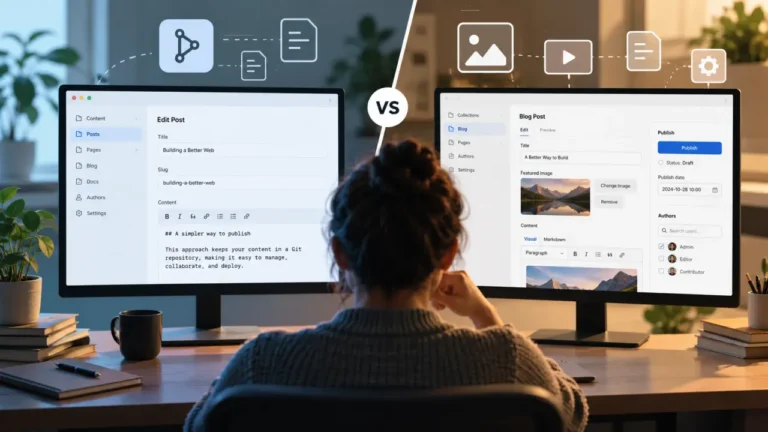
A non-technical writer can usually publish on a git-based CMS on a normal day. The editing layer these platforms put on top of the repository looks and behaves like an ordinary admin screen: type, add an image, hit save. The question that decides whether the setup survives is what happens on the day the save does not work. In a git-backed system a save is a commit, so a failed save is a merge conflict, a rejected file or a broken build, which is a developer’s problem appearing on a writer’s screen at 5:50pm. Choose this family only if a named person is on call for that moment.
This article is about one person’s ability to publish, not about architecture in general and not about hosting. Everything below is written from the writer’s seat.
The three shapes, described by what the writer touches
The classification most vendors use, and the one the Jamstack headless CMS directory organizes itself around, splits the category into git-based, API-driven and visual. Those labels describe where the content is stored. Here is the same split described by what your writer actually experiences.
| Where the post goes when they hit save | What they need an account for | What a failure looks like to them | |
|---|---|---|---|
| Git-based | A commit in a code repository, then a site build | The CMS, and often the git host underneath it | A conflict, a rejected file, or a build that did not finish |
| API-driven | A record in the vendor’s database, immediately | The CMS only | An error message from the vendor, or a save that silently overwrote someone |
| Visual | The vendor’s own system, usually live on save | The CMS only | Rare, and almost always the vendor’s to fix |
A companion piece on this site, on counting your team before comparing platforms, argues that the CMS decision is downstream of a team question, and the number it calls the technical floor is the one that governs here. This article is the narrow version of that question: given a writer who does not use a terminal, can they get a post live without help, and can they get themselves unstuck when it goes wrong.
What a git-based CMS asks of a non-technical writer on a normal day
Very little, and this is why the family keeps getting chosen.
The editing layer is the whole product. It authenticates the writer, shows a list of posts, opens a form or a rich-text field, handles the image upload, and commits the result on their behalf. On a good day the words Git, branch and commit never appear on screen. Different projects put a different amount of polish on that layer, which is most of what separates the open-source options from the commercial ones, and it is the real subject of any comparison of TinaCMS, Keystatic and Decap.
Two things do change on a normal day, and writers notice both within a week.
Publishing is not instant. The post is committed, then the site rebuilds, then the page appears. On a small site that is seconds. On a large one it can be minutes, and it is minutes again for a one-word typo fix.
Preview is a link, not a button on the same screen. Most setups generate a preview address for the branch or the deploy rather than rendering the finished page inside the editor. That is workable, and it is a change for anyone used to a preview tab that opens instantly.
Whether that trade is worth the configuration it takes to get there is a separate judgment, and we have written it up as a question of whether git-backed visual editing earns its setup cost.
The failure day: five things that break, and who can fix each
This is the part the category’s own literature skips, because the people writing it are developers for whom none of these is a failure. Every row below is a documented behavior of the model, checked against vendor documentation in August 2026, not a prediction.
| What the writer did | What actually happened | Can the writer fix it alone? | Is the live site affected? |
|---|---|---|---|
| Saved a post | The commit landed, the build failed | No. The build log is a developer artifact | Usually not. Hosts that deploy atomically keep the last good version live |
| Saved a post two people had open | Two commits touched the same lines, so the merge conflicts | No, not without help | No |
| Uploaded a photo straight off a phone | The file exceeded a size limit on the git host | Sometimes, by resizing it | No |
| Finished a post in review mode | It became a pull request waiting for a merge | Depends entirely on the configuration | No |
| Hit save and got an error | The connection to the git host or the CMS backend failed | No | No |
Two of those deserve their own paragraph, because they are the ones that produce the 6pm phone call.
The failed build. The writer’s words are safely stored. Nothing is lost. But the page is not live, and the only description of why is a build log written for the person who set the site up. On a host with atomic deploys the previously deployed version stays live, and Netlify’s documentation, for example, describes both that behavior and the ability to publish an earlier successful deploy as the live site. So the good news is real: a writer cannot take the site down with a typo. The bad news is that they also cannot get their own post up, and they have no way to tell whether the cause is their post or something a developer changed that morning.
The entry that needs somebody else to merge it. Review modes in this family are built out of branches and pull requests. Decap CMS’s documentation states that its editorial workflow creates a pull request for each unpublished entry, and that in Open Authoring mode users cannot publish entries through the CMS at all, with merges happening through the GitHub interface. TinaCMS’s editorial workflow documentation describes the same shape, a new branch and a draft pull request instead of a save to a protected branch, and states that the feature is available on select paid plans. We are not quoting a price for it, because vendor plans in this category move and a stale figure is worse than none.
Read that as an operating fact rather than a criticism. If it is configured that way, your writer is not a publisher. They are a contributor, and someone with repository access is now on your publishing path every single day.
In our reading of this category, that dependency is where git-backed setups quietly lose their writers: not at rollout, when everyone is enthusiastic, but at the third or fourth failure, when the writer starts sending documents to the developer instead. We have no survey to cite for that and we are not going to invent one. It is an argument, offered as one.
Two people editing the same page
Worth stating plainly, because the honest comparison is not one-sided.
A git-based CMS can produce a merge conflict, which is confusing and needs help, but it is loud. Nothing is silently discarded, and both versions exist in the history.
Many API-driven and visual systems handle it the other way. Unless the platform implements locking or explicit collaborative editing, the second save wins and the first writer’s paragraph is gone, sometimes with no warning at all. That is easier on the day and worse afterward.
So the git-based model is not simply harder. It is louder about a problem the other families sometimes hide. If your team genuinely has two people in the same post at the same time, ask each candidate platform what it does in that exact moment, and do not accept “it handles it” as an answer.
Images, and the limit nobody mentions in the demo
Media is the most common early surprise, because git hosts are built for text.
GitHub’s documentation, read in August 2026, sets a browser upload limit of 25 MiB per file, warns on files over 50 MiB, blocks files larger than 100 MiB outright, and recommends repositories stay under 1 GB with under 5 GB strongly recommended. A modern phone photo clears the browser limit comfortably, so most writers never meet the ceiling on one image. A few hundred posts of unoptimized images is a different question, and it is the reason several platforms in this family offer an external media store instead of committing files to the repository.
For a writer, that choice shows up as one thing only: whether the upload works, or whether it fails with a message about file size. Ask which one you are getting before rollout, not after. The same goes for how the editor is wired into whatever generates your pages, which is specific to the setup, as in a configuration like TinaCMS on an Astro site, and is a developer decision your writer inherits.
The on-call question, which is really the whole decision
Choosing git-backed for a non-technical writer is a staffing decision wearing a software costume. Answer these four before you commit, in writing, with names in them.
- Who fixes a failed build, and by when? A name and a response time. “The developer will look at it” is not an answer at 6pm on a Friday.
- What does the writer do while they wait? The useful answer is usually a documented one: their words are saved, the site is fine, and here is the one message to send.
- Who merges, if entries need merging? If that person is on vacation, publishing stops. Decide now whether that is acceptable.
- Who is the second person? If exactly one human can unblock publishing, the arrangement has a bus factor of one, and that is a risk that belongs to the arrangement rather than to the software.
If you cannot fill in all four, the honest read is that this family is not the right fit for this team yet. That is not a verdict on the software, which is genuinely good, and it is not a permanent no.
When git-backed is the right answer
It fits well when the review your team already runs happens in pull requests, when your writers are also the developers, when the site’s value is partly in owning the content as plain files you can walk away with, and when the publishing cadence is low enough that a build delay costs nothing.
It fits badly when freelancers rotate through, when the least technical publisher is also the most frequent one, when someone publishes time-sensitive posts outside working hours, and when nobody is contractually on call.
For teams in that second group there is a middle option that gets skipped: keep the editor your writers already know and change only what sits in front of it, which is what headless WordPress means in practice. It raises the technical floor for developers rather than for writers.
And whichever direction you go, moving is not free. Our guide to what actually breaks during a CMS migration covers the parts that travel badly, and it is worth reading before a trial turns into a commitment.
Written August 2026. Platform behavior described here was checked against each vendor’s own current documentation in August 2026: Decap CMS on editorial workflow and Open Authoring, TinaCMS on editorial workflow, GitHub on large file limits, and Netlify on atomic deploys. This category changes quickly, so verify anything decision-critical against the vendor’s current docs. No prices or plan tiers are quoted. Kahuk sells, hosts and implements no CMS and takes no referral fee from any platform named here. Due for review every six months.
FAQ
Can a non-technical writer use a git-based CMS?
Yes, on a normal day. The editing layer hides Git behind an ordinary admin screen, so writing, adding images and saving feel like any other CMS. The exception is failure: because a save is a commit, a failed save appears as a conflict, a rejected file or a broken build, and those need someone who can read a build log.
What happens if the build fails after my writer saves a post?
Their work is not lost, it is already committed. The post simply does not appear. On hosts that deploy atomically the previously published version of the site stays live, so a writer cannot break the site with a typo, but they usually cannot publish their own post either until someone fixes the build.
Do writers need a GitHub account to use a git-based CMS?
Sometimes. Some setups authenticate writers through the git host, so they need an account there; others put an authentication service in between so the writer only signs into the CMS. It is a configuration choice made when the site is built, so ask which one you have before you hand the login to a new writer.
Is a git-based CMS better than an API-driven one for a small content team?
Not automatically. Git-based gives you plain-file ownership, a full history and loud, visible conflicts. API-driven gives a smoother path when something goes wrong and needs no build to publish. For a team with no developer on call, the API-driven or visual families are usually the safer choice, and choosing git-backed anyway is a decision that needs a named person attached to it.
What happens if two writers edit the same page at once?
On a git-based CMS you may get a merge conflict, which is confusing and needs help, but nothing is silently discarded. On many API-driven and visual platforms the second save simply wins and the first writer’s changes disappear. Ask each candidate what it does in that exact situation rather than assuming it is handled.