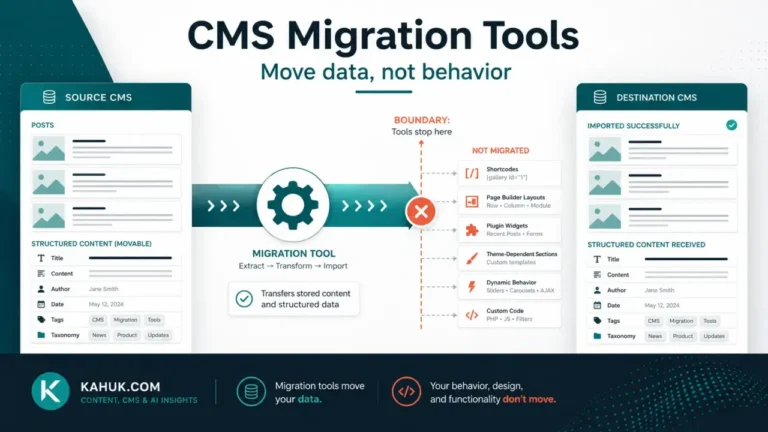
The same handful of things break in almost every CMS migration, and none of them are platform bugs: metadata, URL structure, internal links, taxonomies, plugin-rendered content, images, comments, scheduled posts, custom fields, shortcodes, multi-author bylines, and search engine indexing all fail in predictable, checkable ways because two platforms rarely represent the same idea the same way underneath. Read this list before you start a migration, not after you have already lost something, and read it alongside the backup and rollback plan this cluster assumes you already have.
The shape of the failure, before the list
Almost nothing breaks because a platform is bad. It breaks because an export only captures what the old platform stores in a way the new platform can read, and anything stored differently, rendered by a plugin, or dependent on a feature the new platform lacks, does not survive the trip. Once you see migration failure this way, the list below stops looking like bad luck and starts looking like a checklist.
The 12 things, in the order people usually discover them
- Metadata. Title tags, meta descriptions and canonical URLs are the single most commonly lost item in a migration, because they often live in a plugin’s own data structure rather than the core post content the export captures.
- URL structure. If your new platform’s URL pattern differs from your old one, every link pointing at the old pattern, internal and external, now points at nothing unless a redirect exists.
- Internal links. Your own content links to itself using the old URL pattern. These do not update automatically during an export.
- Taxonomies. Categories and tags rarely map one-to-one. Some destination platforms flatten a source platform’s categories into tags, with the first category becoming a primary tag rather than a true category.
- Plugin-rendered content. Comparison tables, custom galleries, and other content built by a plugin usually export as nothing, because the export captures raw content, not the plugin that rendered it.
- Images. Where images end up, a new media library, a different folder structure, a CDN, is rarely guaranteed, and alt text is a common casualty of a rushed CSV-style export.
- Comments. Comment threads are frequently dropped or only partially preserved, particularly with high comment counts.
- Scheduled posts. This one is easy to miss: several migration paths mark every scheduled post as a draft on import rather than preserving its future publish date, which means a reader checking a queue after migrating can find nothing scheduled at all until someone notices and manually reschedules (source: Ghost’s own WordPress-migration documentation, checked 2026-07-29).
- Custom fields. Anything stored in a custom field, rather than the main post body, frequently does not have an equivalent destination and is dropped silently.
- Shortcodes and embeds. Content that relied on a shortcode or an embed on the old platform commonly shows up as visible raw bracket text,
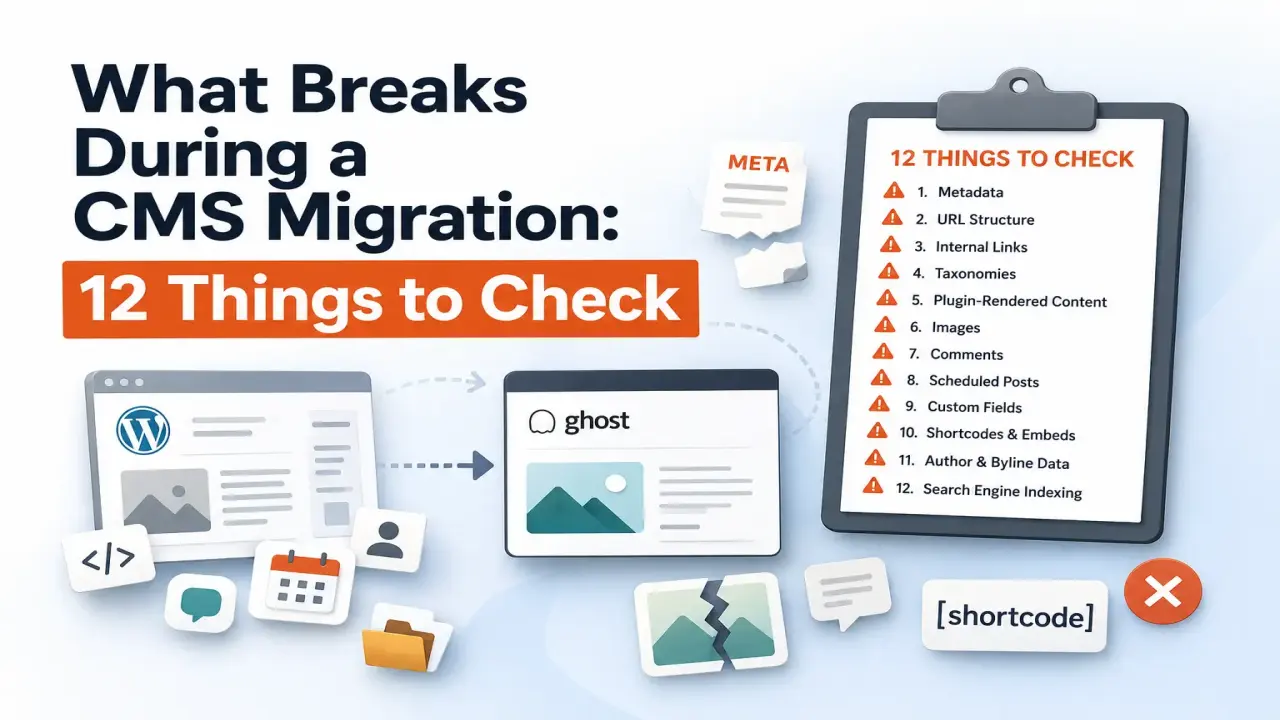
A visual checklist of 12 common CMS migration problems, from lost metadata and broken URLs to missing images, shortcodes, author data, and search indexing issues. - Author and byline data. Multi-author sites frequently find author attribution collapses to a single default author unless usernames are mapped deliberately during import.
- Search engine indexing. None of the above technically “breaks” the site, but all of them together are what causes search engines to treat migrated pages as new or broken, which is where a 30 to 60 percent organic traffic drop commonly gets reported when redirects and metadata are not treated as migration priorities (source: CMS migration guidance aggregated across agency migration checklists, checked 2026-07-29).
Three of these are the same failure wearing different clothes
Metadata, redirects and internal links (items 1, 2 and 3) are worth calling out as a group, because fixing one without the other two leaves the job half done. A redirect map without preserved metadata still loses the search snippet a page had earned. Preserved metadata on a URL nobody redirects to is metadata nobody will ever see. Treat these three as one workstream, not three separate to-do items you check off independently.
Two worked examples of this full 12-item list in practice, one platform pair each, are covered in WordPress to Ghost and Ghost to WordPress. The general migration sequence this list sits inside is in the CMS migration guide.
The two items most checklists skip
Two items on this list, scheduled posts silently becoming drafts, and shortcodes turning into visible raw text, get less coverage elsewhere than they deserve, because both are the kind of failure that looks fine at a glance. A migrated site with 40 posts quietly sitting as unpublished drafts instead of their scheduled queue still loads correctly and looks migrated. Nobody notices until the gap in the publishing calendar becomes obvious, which can be days later. The same is true of a handful of posts with visible [shortcode] text buried mid-article: the page renders, the migration “worked,” and the defect sits there until a reader points it out. Both are reasons the post-cutover audit in this cluster checks a sample of content, not just that the site loads.
Why a numbered list beats a narrative here
It would be easy to write this as a story about a migration gone wrong, but a story is harder to act on than a checklist. The value of having all 12 in one place, rather than discovering them one at a time across different forum threads and vendor blog posts, is that you can run down the list in the ten minutes before you start exporting and mark which ones apply to your specific site. Not every site has heavy plugin use, or a large comment archive, or scheduled posts in the queue. Knowing which of the 12 actually apply to you turns a generic warning into a specific, short to-do list.
FAQ
Is data loss during a CMS migration common?
Some degree of it is common enough that most professional migration guides assume it will happen somewhere and build a verification step around that assumption, rather than assuming it will not happen at all.
Which of these 12 causes the most SEO damage?
Metadata and redirect loss together are the most commonly cited cause of post-migration ranking and traffic loss, because search engines treat unredirected URL changes as new pages rather than moved ones.
Can I prevent all 12 of these?
Most are preventable with a deliberate export and import plan and a rehearsal on a small sample first. A handful, particularly custom-field and plugin-rendered content, may require manual rebuilding rather than an automatic fix.
Should I check for all 12 before I migrate, or after?
Both. Reviewing this list before you start tells you what to plan for; the post-migration audit in this cluster tells you what to actually verify happened.
Do these apply to every platform pair, or only some?
The specific mechanics vary by which two platforms you are moving between, but the categories, metadata, URLs, links, taxonomies, plugin content, apply to essentially every CMS-to-CMS migration, which is why this list is written at that level rather than for one specific pair of platforms.
Written July 2026. Migration tooling and default import behavior change between platform releases; verify against the current documentation of your specific source and destination platforms before you rely on any single item above.