To choose a CMS, eliminate rather than compare. Three questions remove most of the field before you look at a single feature list: who publishes and how often, who is on call when it breaks, and how you get your content back out. Answer those three and a directory of hundreds of platforms collapses to a shortlist of about five, all of which will do the job, at which point the remaining decision is about operating cost rather than capability. The mistake nearly everyone makes is starting with a comparison of features. Feature comparison is what vendors are optimized for, it favors whoever lists the most, and it cannot tell you which platform your particular operation can actually run.
A note on where the advice you are reading comes from. Search this question and the results are dominated by CMS vendors and by agencies that implement them. Their guidance is often genuinely competent, and it is written by people who will benefit from a particular answer. This site does not sell, host, implement or take a referral fee from any CMS, and it states no price for any platform, because pricing changes constantly and a stale number is worse than none. Where money matters below, it is described as a shape of cost rather than a figure.
This is written in July 2026 and describes categories of platform rather than the current feature set of any product. Check specifics against each vendor’s own current documentation before deciding.
Why the field is smaller than it looks
Public directories of headless and traditional platforms run to well over a hundred entries. That number is real and it is also misleading, because most of those platforms are not competing for your situation. They are aimed at enterprises with development teams, at specific frameworks, at commerce, or at a niche you are not in.
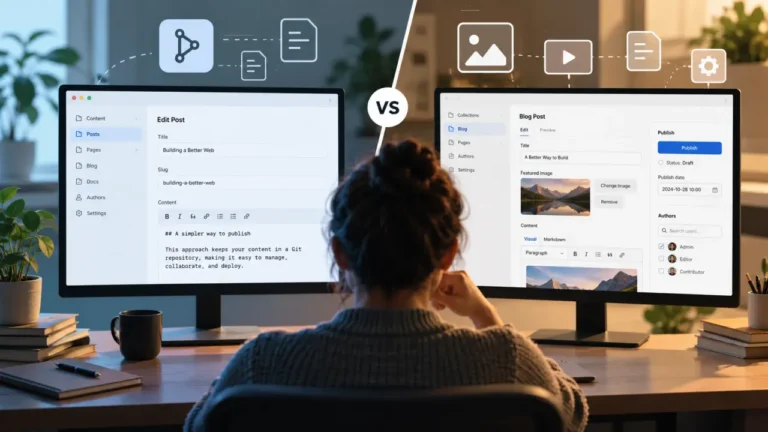
For an operator running a content site, the practical field is small. Rather than reading vendor pages, sort every candidate into one of four families, because a family choice eliminates dozens of products at once:
| Family | What it is | Suits | Costs you |
|---|---|---|---|
| Traditional self-hosted | The CMS renders the site. You run it | Publishers who want control, plugins and low platform cost | Maintenance, updates, security, and being on call |
| Managed or hosted platform | Someone else runs the software for you | Small teams with no technical support | Less control, platform lock-in, subscription cost |
| Headless, cloud-hosted | Content service with an API. A separate front end renders it | Multi-channel publishing, teams with a developer | A developer dependency you did not previously have |
| Headless, self-hosted open source | Same shape, you run the server | Teams that want structure and want to own the stack | Both the maintenance burden and the developer dependency |
Most operators choose within family one or two and never need to read further. That is not a lack of ambition, it is an accurate read of what a content site requires. What headless actually changes for the people who write is covered in what headless WordPress means for a writer, and it is worth reading before adopting the category on someone’s recommendation.
Question one: who publishes, and how often?
This is the question that should come first and almost never does.
Write down, concretely: how many people file posts, what their technical comfort is, how many posts go out a week, and whether anyone outside the core team ever needs to publish. A guest contributor, a client, a colleague in another department.
The answers eliminate whole families. A platform that requires a pull request to publish a blog post is fine for a technical team of two and disqualifying for a publication with rotating freelance writers, regardless of how good it is. A platform whose editor your writers find unpleasant will quietly reduce your output, and no feature elsewhere compensates for that.
The practical test is short and worth more than a week of research: have the least technical person who will use the platform publish one real post on it, unaided, while you watch and say nothing. What you learn in those fifteen minutes is not available from any comparison page, because no vendor writes about the moment their user gets stuck.
Question two: who is on call at 2am?
Every platform’s cost has two halves. The visible half is what you pay. The invisible half is what happens when it breaks, and it is the one that decides whether the choice was right.
Ask, honestly:
- When the site goes down, who fixes it? If the answer is “me, and I do not know how”, a managed platform is worth its subscription.
- Who applies updates? Self-hosted software needs someone to keep it current, and neglected updates are how sites get compromised.
- What happens when the person who set it up leaves? For a lot of small operations that person is a contractor who was around for three weeks.
- How much of your week does the platform consume when nothing is wrong? That number tends to grow quietly.
“Free” open-source software is free of license fees and not free of operation. Self-hosting is a real and reasonable choice, and it is a choice to take on work. Being clear-eyed about who does that work is the difference between a platform that suits you and one that suits someone with a systems administrator.
Question three: how do you get your content back out?
Ask this before you move in, not when you want to leave.
Every platform will tell you about getting content in. The one worth checking is the reverse: does it offer a complete export, in a documented open format, that includes your media and your structure and not only your post text? Can you run that export yourself without asking support? Is the export usable by something that is not this vendor?
The test is described in full in exporting your content so you are never trapped again, and it applies to a platform you are evaluating exactly as it applies to one you already use. A platform with a clean export is a low-risk decision even if it later proves wrong. A platform without one converts every future disagreement into a hostage negotiation.
This question also quietly settles the open-source argument better than any philosophical version of it. What protects you is not the license, it is whether your content is portable.
What to check after the shortlist, and in what order
Once three questions have cut the field to a handful, work through these in order. The order matters, because each one can eliminate a candidate and the early ones are cheaper to test.
- Can your content model live here? Does the platform’s structure fit the content you already have, and can your archive populate the fields it requires? An ambitious model your existing posts cannot fill becomes a problem on import and a friction on every post afterward. See why your old posts do not fit the new structure.
- Does it handle your classification? Categories, tags, series, or whatever you use. Not every platform models these the same way, and some do not model them at all until someone builds it.
- Does the editor suit the people writing? Tested, not read about.
- What does month twelve cost, not month one? Costs in this category commonly scale with traffic, storage, API calls, users or seats. Find the variable, then estimate what it looks like at three times your current size.
- What do you have to integrate? Email, memberships, payments, forms, analytics. Check that each is supported in a form you can operate yourself.
- Is it maintained? Recent releases, active issue tracker, visible community. An abandoned platform is a future migration with a deadline.
- Can you leave? Question three again, verified rather than assumed, at the end when you are tempted to skip it.
The traps in this decision
Choosing for a future you may not have. Platforms get selected for a scale, a team and a multi-channel ambition that never arrives, and the cost is paid every week in the meantime by the operation that does exist.
Confusing the demo with the day job. Demos are built on clean sample content by people who know the product. Your archive is fifteen years of exceptions.
Treating the launch as the cost. The launch is two weeks. Operating the platform is years. The category is optimized for making those two weeks look good.
Believing that a stricter platform will make your content better. Structure helps, and it does not write anything. A better content model does not produce better posts, it produces better organized posts.
Copying whoever you admire. A publication with three developers can run something you cannot, and it will not look harder from the outside.
If you already have a site, read this first
Everything above assumes a decision is genuinely open. If you have an existing site and an archive, the first question is not which CMS but whether to move at all, and the honest answer is usually no. Work through the migration you should not do before you shortlist anything, because most of the complaints that start a platform search travel with the content and arrive intact on the other side.
If you do decide to move, the choosing work above feeds directly into the mechanics: what survives, what has to be rebuilt, and what it costs. That is the whole of the CMS migration guide, and the buy-or-build side of it is in whether to pay someone to migrate.
The short version
Ask who publishes, ask who is on call, ask how you leave. Shortlist five. Have your least technical writer publish one real post on each. Estimate month twelve rather than month one. Choose the boring one that your team can operate without help, and then stay on it long enough for the archive to be worth something.
Nobody has ever regretted a CMS choice that let their writers publish and let them export everything on request.
FAQ
How do I choose a CMS without spending weeks comparing them?
Eliminate instead of comparing. Decide the platform family first, then apply three questions: who publishes and how often, who maintains and fixes it, and whether you can export your content completely. That reduces a directory of hundreds to a handful in an afternoon.
Is a headless CMS better than a traditional one?
Neither is better in general. Headless separates content from presentation, which helps when you publish to more than one destination and adds a developer dependency when you do not. For a single content site with no developer on hand, a traditional or managed platform is usually the lower-cost choice to operate.
What is the most common mistake when choosing a CMS?
Choosing for an imagined future scale rather than the operation that exists now, and evaluating features rather than watching a real person publish a real post. The second mistake is the one that shows up every day afterward.
Should I pick an open-source CMS so I am never locked in?
Open source protects the code, not necessarily your content. What actually prevents lock-in is a complete, documented export that includes media and structure and works without the vendor. Check that on any platform, open source or not.
How long should a CMS choice last?
Long enough that the archive matters more than the platform. Frequent replatforming is expensive in publishing time, so the goal is a boring choice you can stay on, not the most capable one available.
Written July 2026. This page describes platform categories rather than current vendor features and states no price for any product; verify specifics against each vendor’s own documentation. Due for review every 90 days. No platform is recommended and no referral fee is taken from any vendor named or unnamed.