Webflow sites look good, and the CMS is part of the reason: blog posts are designed in the same tool as everything else on the site.
Yes, Webflow’s CMS can run a blog of 500 posts, but it is a design tool with a structured database attached, not a publishing system with a design layer. The Webflow CMS limitations a blog actually hits are plan-based caps on how many items you can store, plan-based limits on extra languages, limits on how content is displayed and moved in bulk, and the work it takes to leave. Check each one on Webflow’s own pages, and write down the date, before an archive depends on it.
This page was written against Webflow’s developer documentation as read on September 11, 2026. Webflow has restructured its plans and CMS limits more than once, so any number you rely on should come from Webflow’s own pages on the day you decide.
What Webflow’s CMS actually is
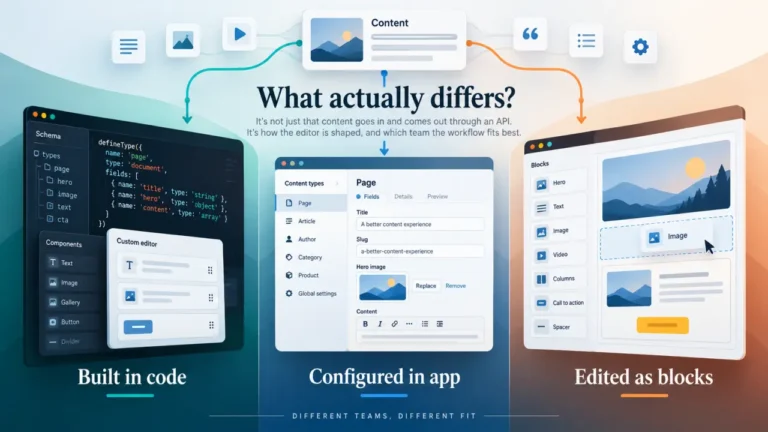
Webflow’s CMS API documentation (read September 11, 2026) describes Collections as “structured containers for dynamic content, similar to database tables.” A blog in Webflow is a Collection, usually called something like Posts, where each post is an item and each field (title, body, author, image, date) works like a column.
The same page describes two states for every item: staged, “Draft content not visible on your live site,” and live, “Published content that appears on your website.”
That model has consequences a blogger coming from a blogging-first CMS does not expect:
- Authors and categories are usually Collections too. Collections can reference other Collections, which is how a post gets its author and category. That also means each author and each category is an item in its own right.
- Every post shares one design. Items in a Collection render through that Collection’s template page. That is excellent for consistency and restrictive when one post needs a different layout.
- The structure is decided up front. Fields are defined on the Collection. Changing its shape after hundreds of posts are inside it is a content model change, with all the cleanup that implies.
None of this is a flaw. It is what “a database attached to a design tool” means day to day.
The Webflow CMS limitations a blog hits, in the order it hits them
| Limitation | What it governs | Where the current number lives | When a blog feels it |
|---|---|---|---|
| CMS item cap | Total items across every Collection on the site | Webflow’s pricing page for your plan | When posts plus authors, categories and tags approach the cap |
| Collection count | How many Collections the site can have | Webflow’s pricing page | When you model more than posts: resources, series, a glossary |
| Display limits | How many Collection lists a page can hold and how many items each shows | Webflow’s Help Center | On archive, category and “related posts” pages |
| Secondary locales | How many languages beyond the primary one | Webflow’s plan details; plan-dependent per its developer docs | The day you add a second language |
| API rate limits | How fast content can be moved in or out by any tool | Webflow’s developer documentation | During a migration, a bulk update or a sync |
| Exit | What leaves Webflow cleanly when you go | Webflow’s export documentation | The day you decide to move |
Two of those are stated plainly in the documentation, so they are worth quoting.
Locales are capped by plan. Webflow’s localization documentation (read September 11, 2026) says “The number of secondary locales you can have is limited by your Webflow plan.” Localized CMS items share one ID with the primary version and can be published individually, which is a sound model. The cap is the catch for a bilingual blog.
API rate limits are set by plan. Webflow’s rate limits page (read September 11, 2026) lists 60 requests per minute on Starter and Basic, 120 on CMS, eCommerce and Business, and custom limits on Enterprise, and says going over returns an HTTP 429 “Too Many Requests” error. A writer never meets this. A migration of 500 posts, a bulk image update or any tool that keeps content in sync does.
Will 500 posts fit? Do the arithmetic yourself
Articles ranking for this question quote different item caps for the same plans, because Webflow has raised and reorganized them. Treat any figure without a date, including ones you read elsewhere, as a prompt to check rather than a fact.
The calculation that matters is your own, and it is short. Here it is with illustrative numbers:
- Count posts today. Say 500.
- Add every other item. If authors, categories and tags are Collections, they count. 500 posts, 10 authors, 12 categories and 80 tags is 602 items, not 500.
- Add the other Collections you will want. Case studies, a glossary, CMS-driven landing pages. Every item counts.
- Project two years of publishing. At two posts a week, that is roughly 200 more posts, plus the new tags that come with them.
- Compare the result with the item cap on Webflow’s pricing page for the plan you can afford, and note the date you read it.
If year two lands near the cap, you are not really choosing a plan, you are scheduling an upgrade. That is fine if you budget for it. It is a problem if you discover it the week the CMS will not accept a new post.
Where the CMS ends and the design tool begins
This is where people who chose Webflow for its looks tend to be surprised.
Webflow is strongest when the design changes often and the content structure changes rarely. A marketing site with a blog attached fits that perfectly. A publication whose structure keeps evolving (new formats, series, contributor pages, reusable content blocks) fits less well, because every structural change is a Collection change.
The writer’s day looks different. Content editors work inside a site a designer built, within the fields the designer created. That is safe and predictable. It is also limiting when a writer needs something the template did not anticipate, and the fix is usually a designer, not the writer.
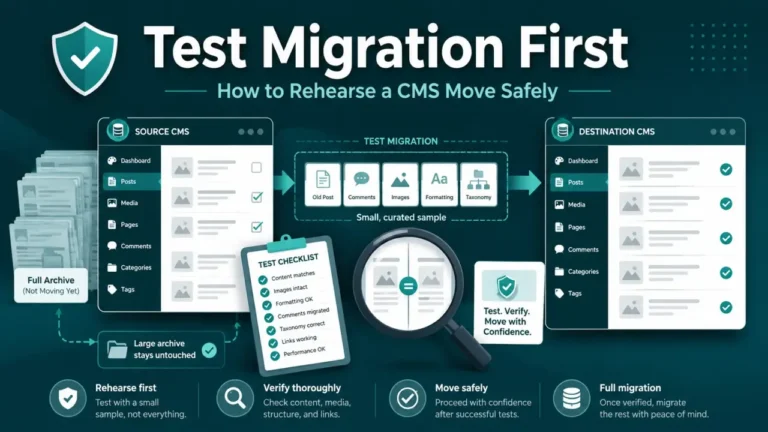
Rich text is where old content struggles. A long archive from another CMS carries formatting, embeds and inline elements that a single rich-text field may not represent the same way. Why old posts do not fit a new content model explains the pattern, and it applies in both directions.
Before you pick Webflow, settle who actually publishes. If your writers are also your designers, Webflow’s model suits you. If they are not, start with the question that comes before choosing a CMS for a content team: who publishes, and how often.
The exit test
Every platform decision should include the day you leave, and Webflow’s exit is worth checking before the archive grows.
Ask these, and test them on a trial site if you can:
- What does an export of each Collection contain? The fields, yes. Check what happens to rich-text formatting, to references between Collections and to image files.
- Where do your images end up? If an export contains links to files hosted by Webflow rather than the files themselves, downloading them is a separate job.
- What happens to your URLs? Collection items follow a URL pattern set per Collection. Your next platform will have its own pattern.
How to export content from a CMS and actually own it covers the full checklist, and what happens if the vendor shuts down or gets acquired covers the long-term version of the same risk. If your URLs change when you move, Google’s site move guidance (read September 11, 2026) says to keep redirects “for as long as possible, generally at least 1 year.”
Who should use Webflow for a content site
| Situation | Webflow fits | Look harder first |
|---|---|---|
| A marketing site with a blog of steady size | Yes | |
| Designers and writers are the same people | Yes | |
| The blog is the business, publishing several times a week for years | Run the item arithmetic before committing | |
| Two or more languages planned | Only if your plan’s locale limit covers them | |
| Frequent bulk updates or syncs from other systems | Check the API limits against your volumes | |
| An archive of several thousand posts arriving from another CMS | Check the item cap and the migration effort |
For a faster way of ruling platforms out, how to choose a CMS by elimination is the framework this page sits under.
FAQ
Can Webflow handle a blog with 500 posts?
Generally yes, as long as your total CMS items (posts plus authors, categories, tags and every other Collection item) stay under the cap for your plan. Read the current cap on Webflow’s pricing page and project at least two years of growth before deciding.
What is the biggest Webflow CMS limitation for bloggers?
For most blogs it is not the post count alone but the combination of a plan-based item cap, a structure fixed in Collections, and the effort of leaving. Multilingual blogs add a plan-based limit on secondary locales.
Does Webflow have draft and published states for posts?
Yes. Webflow’s CMS API documentation describes staged items as draft content not visible on the live site, and live items as published content that appears on the website.
Is Webflow or a blogging CMS better for a blog?
Neither in general. Webflow suits sites where design leads and the content structure is stable. A blogging-first CMS suits sites where publishing volume and content variety lead. The item arithmetic and the exit test above decide it for your site.
Webflow is a strong choice for a site that is designed first and published second. If your site is the other way round, let the arithmetic and the exit test make the decision before the archive does.